Inspection apps vs CMMS
A CMMS (computerized maintenance management system) is software for running maintenance as a whole: work orders, preventive maintenance plans, spare parts and costs. An inspection app gets routine checks done on site and recorded, and keeps problems open until they are fixed. If your main need is to know that the daily and monthly checks really happened, an inspection app is the quicker place to start.
Here is how they compare.
At a glance
| CMMS | Inspection app | |
|---|---|---|
| Main job | Running maintenance as a whole | Getting routine checks done and recorded |
| What's inside | Work orders, maintenance plans, spare parts, costs | QR labels, checklists, schedules, photos, problem follow-up |
| Who uses it each day | Maintenance planners and technicians | Cleaners, guards, facility staff and site managers |
| What you prepare first | Equipment records, maintenance plans and parts lists | A short checklist, QR labels and phones |
| Training | Usually planned, for several roles | Usually a short demonstration on site |
| Pricing | Often per user | Varies, and some charge by what you manage |
| What managers look at | Work order backlog, maintenance history, costs | Completed checks against the plan, open problems |
What a CMMS does
A CMMS keeps a record for each piece of equipment and plans the work around it. It raises work orders, schedules preventive maintenance, tracks spare parts and adds up costs and downtime. It suits a maintenance team whose daily work is planning and carrying out repairs.
What an inspection app does
An inspection app makes routine checks easy to do and hard to miss. Each thing has a QR code. Scanning it opens the right checklist, and the answers are saved with the name, the time and photos. Managers see which checks are done, which were missed and which problems are still open.
When an inspection app is the better starting point
- Your main problem is checks that get missed or never written down.
- The people doing the checks are cleaners, guards or site staff rather than maintenance specialists.
- Outside contractors do most of your repairs.
- You want to be up and running in days.
- You look after several small sites.
Can you use both?
Yes. Some teams keep a CMMS for the maintenance department and use an inspection app for the routine checks that everyone else does. If you need the results somewhere else, an app that exports to Excel lets you take them with you.
Where MintCheck fits
MintCheck is a QR inspection service for teams that look after buildings and equipment. It covers scheduled checks, logbooks, one-off work tasks, visitor complaints and site dashboards. Workers use the MintCheck app on their own phones, there is no per-user pricing, and records can be exported to Excel. It is available in 37 languages.
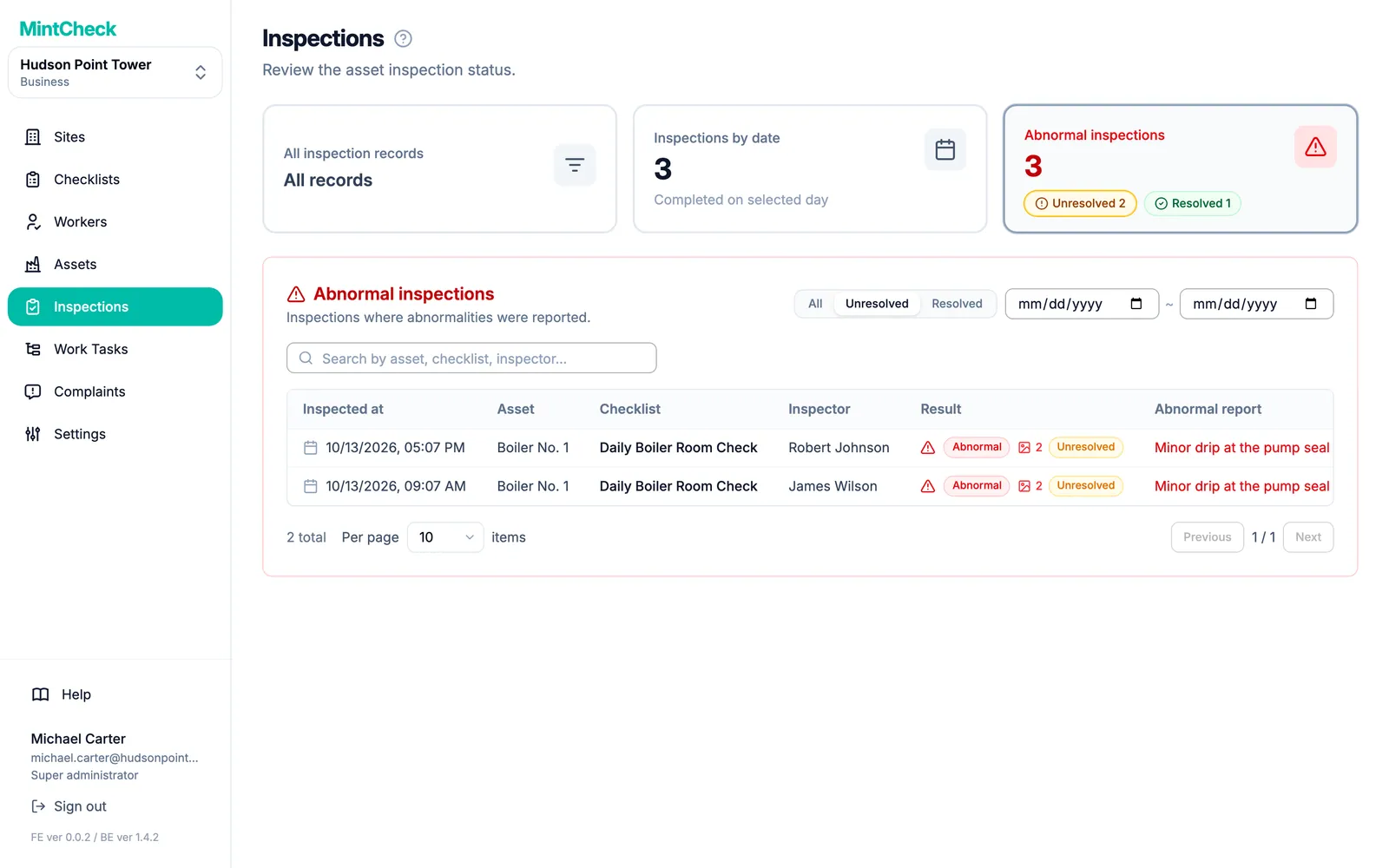
An Abnormal result stays Unresolved until a re-inspection confirms the fix, so you can always see what is still open.
MintCheck is free for up to 5 assets with no credit card. You can walk through the real screens in the interactive demo, or read What is QR code inspection? first.
Common questions
What is a CMMS?
CMMS stands for computerized maintenance management system. It is software for running maintenance as a whole, including work orders, preventive maintenance plans, spare parts and costs.
What is the difference between a CMMS and an inspection app?
A CMMS manages maintenance work from planning to cost. An inspection app gets routine checks done on site and recorded, and keeps problems open until they are fixed.
Can an inspection app handle repairs?
Many can handle simple repair jobs. In MintCheck, an Abnormal result stays open until it is fixed, and you can create a work task with a due date. Workers complete it with a note and photos. See Work tasks.
Do small buildings need a CMMS?
Not necessarily. If you mainly need routine checks done and problems followed up, an inspection app may be all you need to start with. MintCheck is free for up to 5 assets with no credit card.
How much does an inspection app cost?
It depends on the product. MintCheck is free for up to 5 assets with no credit card. Pay as you go is $0.99 per asset per month up to 30 assets, Business is $199 per month and Master is $299 per month. See pricing.
Related features
- QR inspectionsPut a QR code on each asset. Workers scan it with the MintCheck app to run the checklist due today, with the time, name and photos saved automatically.
- Work tasksCreate one-off jobs such as repairs, assign them to an asset, a worker or a work tag, and track them until done. Workers are notified in the MintCheck app.
- Site dashboardSee today's completion rate, unresolved issues, open tasks and complaints for each site on one screen, refreshed automatically.