QR code inspections
With MintCheck, everything you look after — equipment, a room, a restroom, a vehicle — gets its own QR code. A worker scans it with the MintCheck app or the phone camera, signs in, and the checklists due for that asset open right away. Each result is saved with the time, the worker's name and any photos, so you can see what was checked and what needs attention.
How it works
- 1
Print and put up QR labels
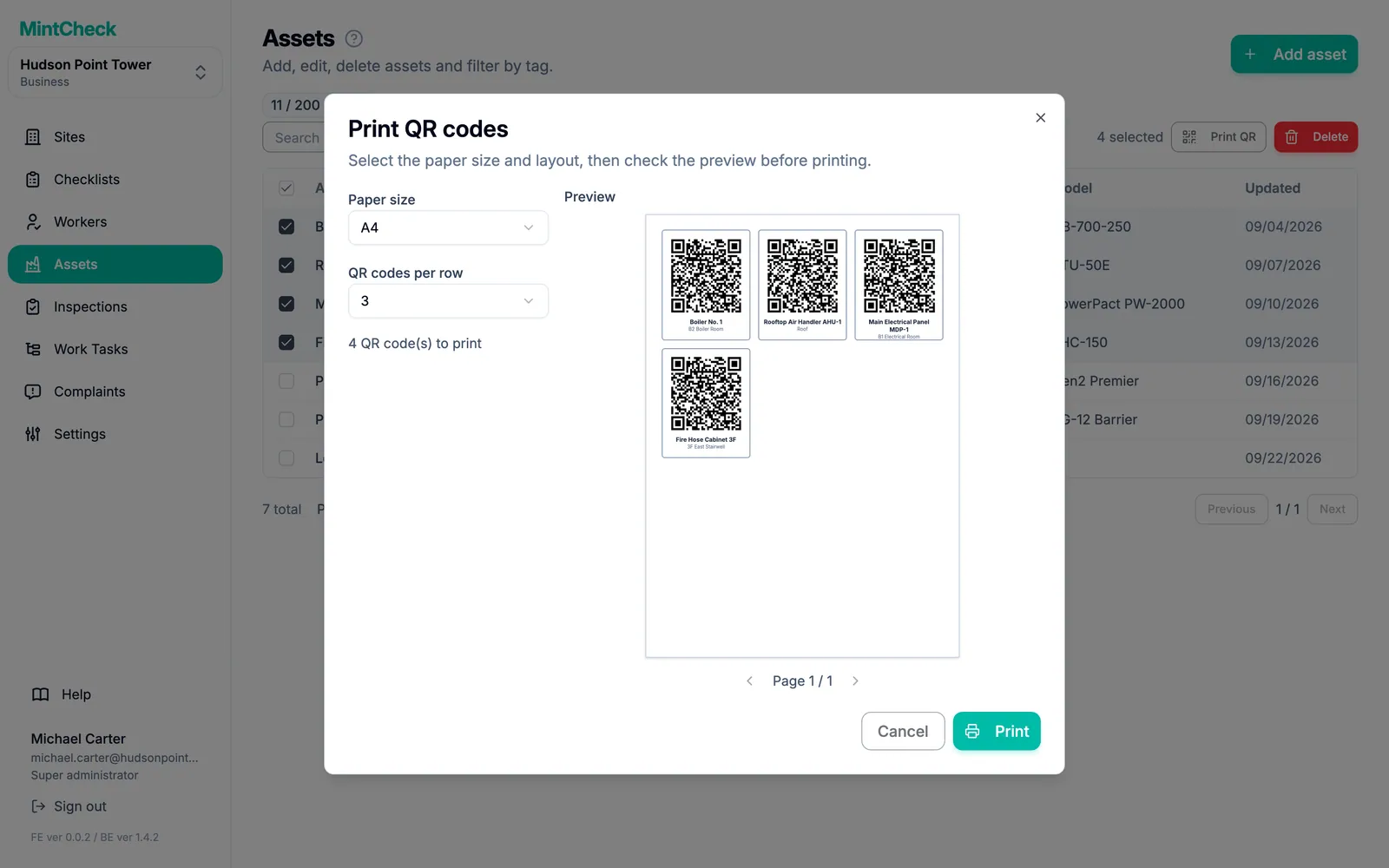
MintCheck creates a QR code for every asset. Print them all at once on A4, A5 or Letter paper, 1 to 4 per row, with the asset name and location on each label.
- 2
Scan and inspect
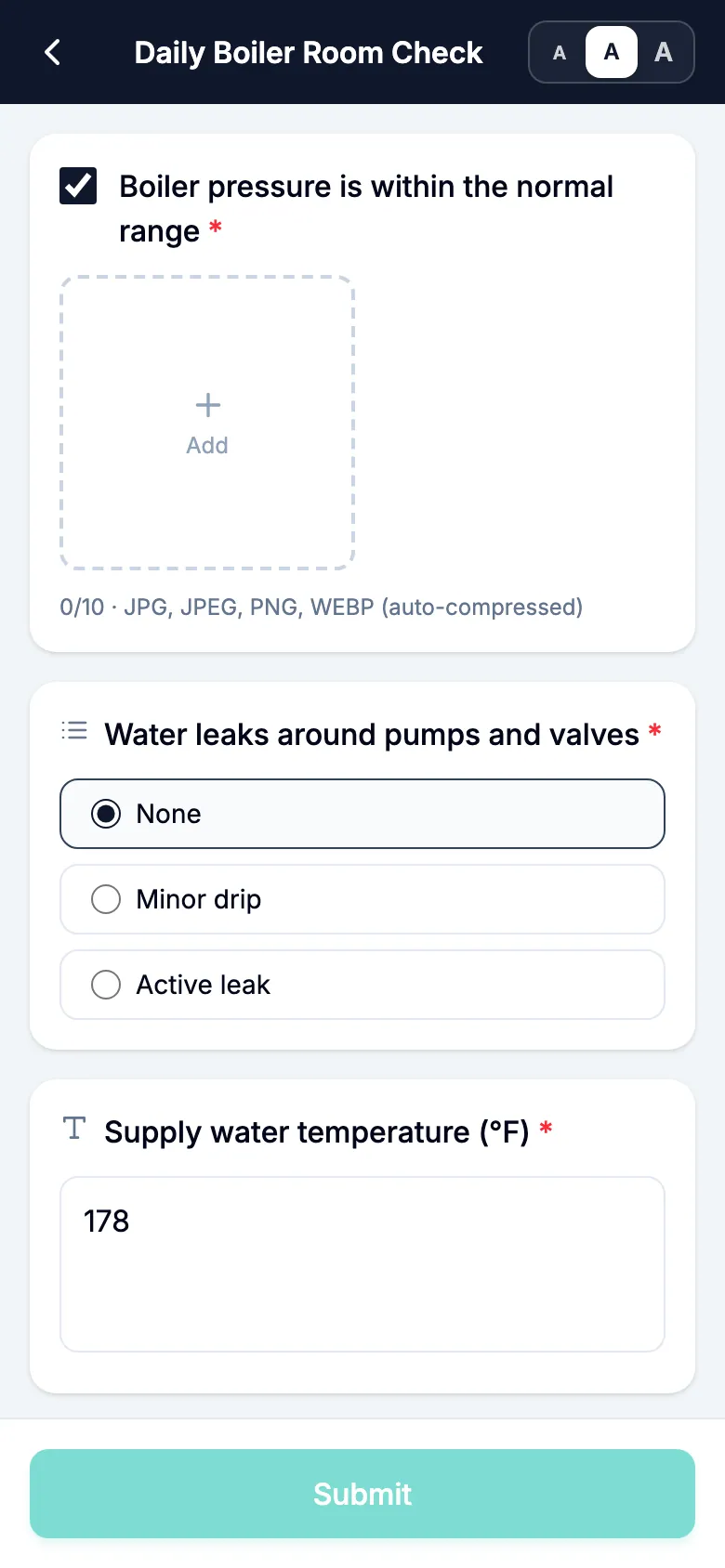
The worker scans the QR code and opens a checklist. Items can be checks, multiple choice, text or photos, and the worker marks the result Normal or Abnormal.
- 3
Follow problems until they are fixed
An Abnormal result stays unresolved until a re-inspection or the next regular inspection comes back Normal, or an admin resolves it with a note. The original report and photos are never changed.
Good to know
- Every record keeps who did it, when, and the photos.
- Workers sign in with a login ID or phone number. There is no password.
- One asset can have several checklists, and one checklist can serve many assets.
- Inspection records can be exported to Excel.
Questions
Do workers need to install an app?
Workers use the MintCheck app for iPhone, iPad and Android. It keeps them signed in and sends notifications for tasks and scheduled checks. Before they install it, they can also scan a QR code with the phone camera and work in the phone browser.
What happens when a worker finds a problem?
The worker marks the result Abnormal, describes the problem and can add photos. It appears in the inspection records and on the site dashboard as unresolved until the fix is confirmed.
Can I print all the QR codes at once?
Yes. Select the assets you want, or print every asset in the list, choose the paper size (A4, A5 or Letter) and 1 to 4 QR codes per row, and print. Each label shows the QR code, the asset name and the location.
Learn more in the help center
- QR codesLearn each kind of QR code, then download, print, and put up labels for your assets.
- Inspection recordsReview completed inspections by day or period, check reported problems, and export records to Excel.
- Worker appHow workers sign in with a phone, run inspections, finish tasks, and use their home screen.