How to replace paper inspection logs with digital records
The safest way to replace paper inspection logs is one form at a time. Pick one form, rewrite it as a short checklist, run it at one site for a few weeks, and only then stop printing it.
Moving every form at once means changing how everyone works on the same day, and problems are hard to separate. A single form lets you find what goes wrong while it is still cheap to fix.
Step 1: List the forms you have
Write down every paper form and log in use: what it records, where it hangs, who fills it in, how often, and who reads it afterwards.
You will probably find some that nobody reads. Before you stop one, check that no rule or contract requires it.
Step 2: Choose where to start
Pick a form that is filled in often, has few questions and already causes trouble. Restroom checks and fire extinguisher checks suit this well: they are short, repeated, and easy to compare with the paper version.
Step 3: Rewrite the form as a checklist
Don't copy the layout of the paper form. Keep the questions and rebuild them:
- Turn "OK / not OK" columns into tick boxes.
- Turn free-text cells into fixed choices where you can, such as Good / Fair / Poor. Fixed answers are quicker to fill in and easier to compare.
- Keep one notes field for anything unusual.
- Ask for a photo where it matters, such as a damaged part.
- Remove questions nobody acts on.
Also decide whether it is a scheduled check or a log. A scheduled check is due at set times. A log is written whenever something happens, such as a visitor arriving, a key being handed out or a fridge temperature being read.
Free checklist templates can save you from starting with a blank page.
Step 4: Put codes where the forms used to be
People already know where the clipboard hangs, so put the QR label there, or on the item itself. Keep it at chest height, and scan every label once after you stick it.
Step 5: Run a short pilot
Run the new checklist at one site for two to four weeks. Set an end date for the paper form before you start, because people soon stop filling in both. While it runs, watch for these:
- Are checks getting done on time?
- Which questions do people skip or misread?
- Are any labels hard to reach or hard to scan?
Step 6: Show people on site
Five minutes next to a real label works better than a meeting. Show the scan, one full checklist, and what to do when something is wrong. Explain why it is changing and who will see the results.
Step 7: Review the results, then expand
Name one person to look at the results every day, at least at first. A record that nobody reads helps no more than a form in a binder. When one form runs smoothly, move the next form at the same site, then the next site.
What to do with old paper records
Keep them for as long as you have to. How long depends on the country, the type of building and the type of record, so check before you throw anything away, and check whether a scanned copy counts.
You rarely need to retype old forms. Store them, note the date the digital records begin, and keep the two apart.
Doing this in MintCheck
- Start from a template. In Checklists, click Add checklist and pick a template such as a fire extinguisher, elevator or restroom. Its name, items and schedule are filled in, and you can change all of it before you save.
- Use a logbook for records with no schedule. Logbook templates include entry/exit, cleaning, temperature, patrol, key and vehicle logs. A public logbook QR lets people who are not your workers write entries without signing in.
- Add assets and print the labels. Link the checklist to each asset, then click Print QR.
- Add your workers. They sign in with a login ID or phone number. There is no password and no sign-up in the app.
- Watch the site dashboard. It shows completed inspections against the planned number. Records can be exported to Excel.
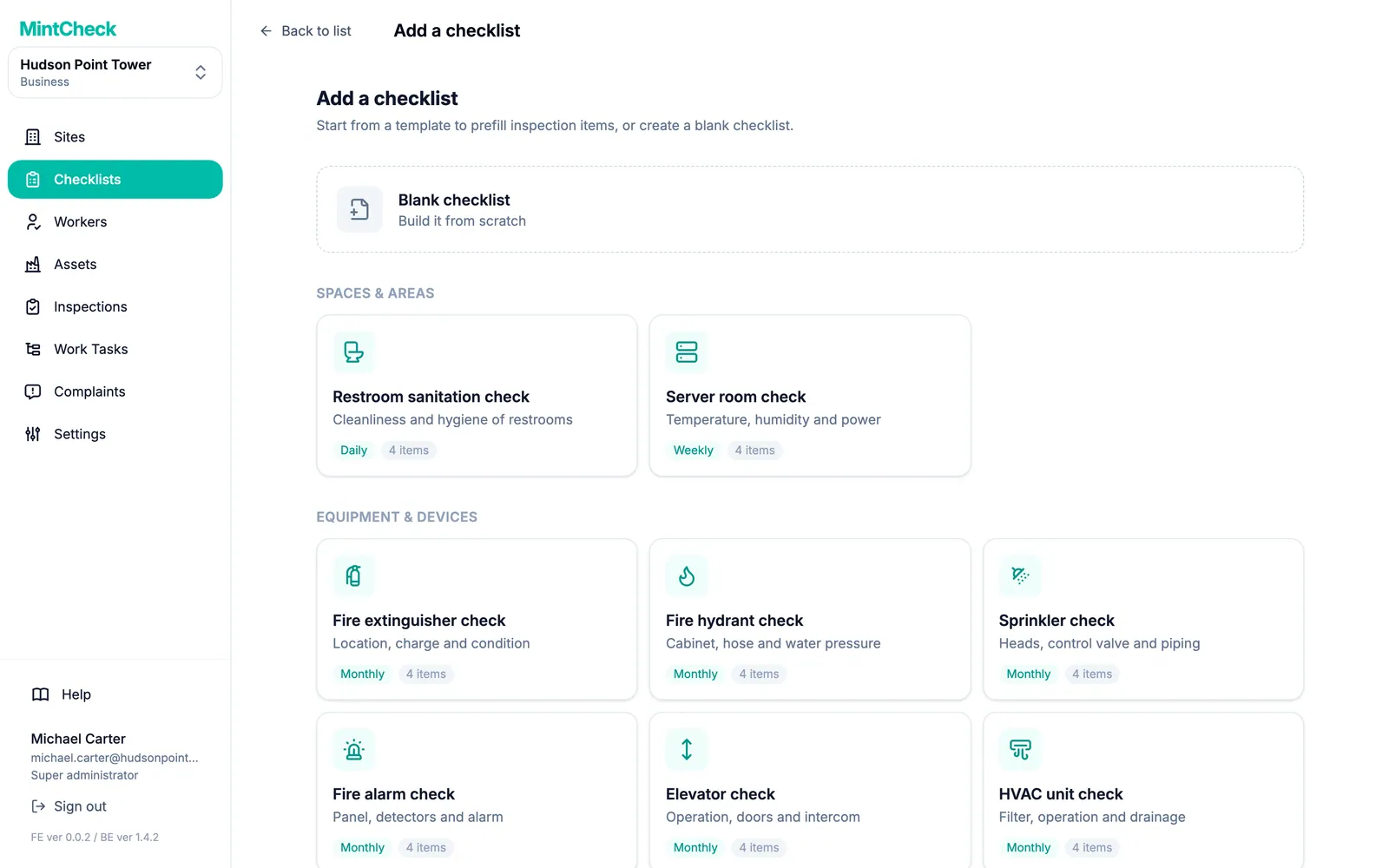
MintCheck is free for up to 5 assets with no credit card, which is enough for a pilot on one form. The quick start takes about 10 minutes.
Common questions
Should we keep paper as a backup?
For a short overlap, yes. Keep it longer only if a rule requires it, because running both for months is extra work and people soon stop filling in one of them.
Can we keep the same form layout?
Keep the questions, not the layout. A form designed for a wide sheet of paper is slow on a phone, so one question at a time with fixed answers works better.
What if some staff aren't comfortable with apps?
Keep the checklist short and show them on site. In MintCheck, workers sign in with a login ID or phone number, with no password, and the app keeps them signed in.
Can we still give an inspector a copy of the records?
In MintCheck, inspection records can be exported to Excel, so you can hand over or print a copy. Ask the inspector which format they accept.
How long does it take?
Setting up takes little time: the MintCheck quick start goes from an empty account to a first completed inspection in about 10 minutes. Allow two to four weeks for the pilot on one form.
Related features
- ChecklistsBuild inspection checklists from ready-made templates, with check, multiple choice, text and photo items, and schedule them daily, weekly, monthly or yearly.
- LogbooksReplace paper logbooks. Workers or visitors scan a QR code to add an entry anytime: entry and exit, vehicle, key, temperature or patrol logs.
- Site dashboardSee today's completion rate, unresolved issues, open tasks and complaints for each site on one screen, refreshed automatically.