Fire extinguisher inspection checklist
This is a monthly visual check for one fire extinguisher: is it where it should be, is the pressure right, and is it undamaged? Print the checklist below, or use the same template on a phone in MintCheck.
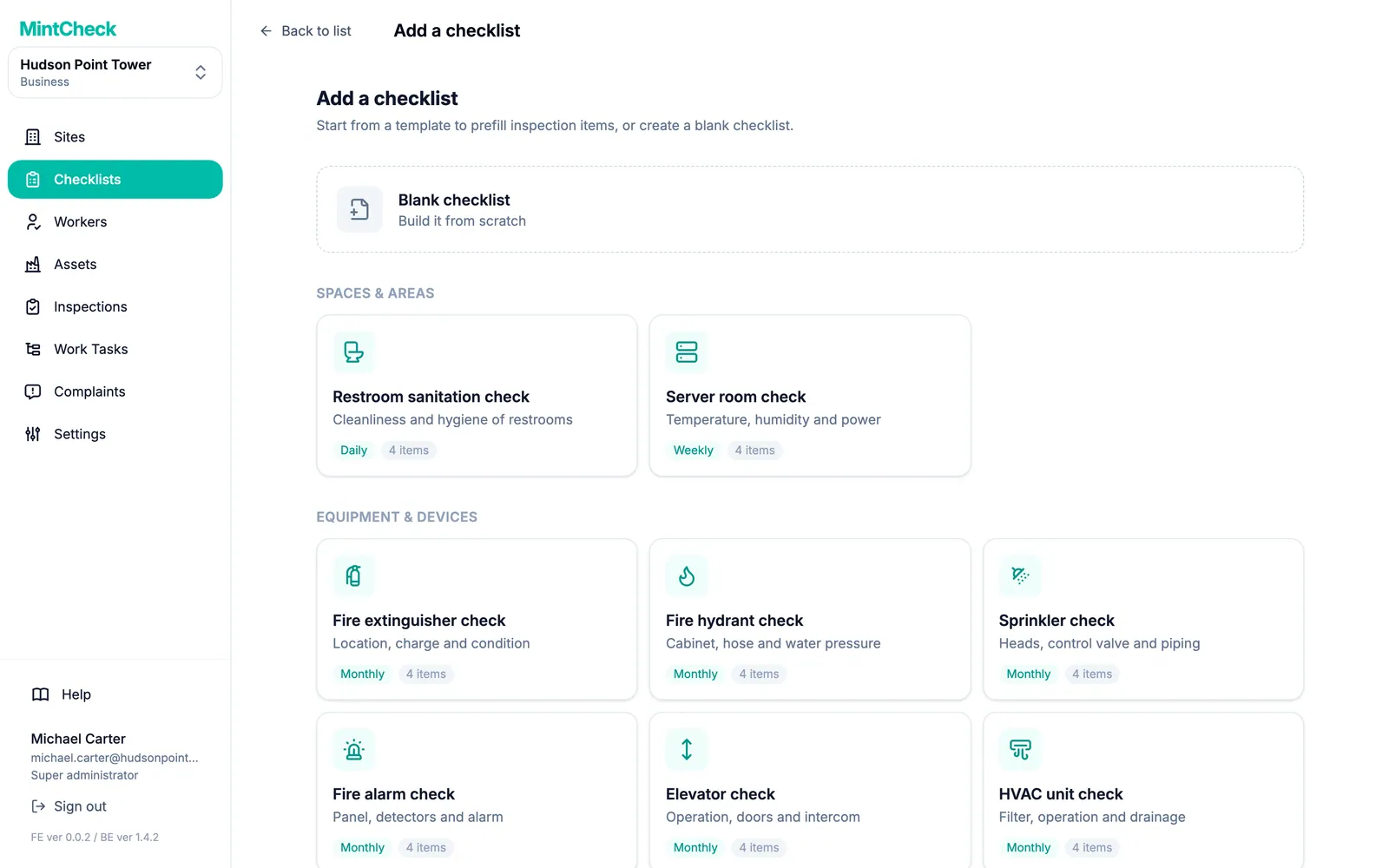
Fire extinguisher check
MonthlyLocation, charge and condition
- Site and location
- Date
- Checked by
| Item | Result |
|---|---|
| Location & signage | |
| Pressure gauge | NormalNeeds rechargeReplace |
| No damage or corrosion | |
| Notes | |
| Overall result | NormalAbnormal |
Template from MintCheck · mintcheck.today
How to do each check
Location and signage
The extinguisher is in its assigned place, nothing blocks the way to it, and the sign showing where it is can be seen.
Pressure gauge
- Normal: the needle is in the green zone.
- Needs recharge: the needle is outside the green zone.
- Replace: the extinguisher has been used or damaged, or can't be recharged.
Some extinguishers, such as many CO₂ types, have no gauge. Follow the maker's instructions for those.
Damage and corrosion
Look at the cylinder, hose, nozzle and handle for cracks, dents, rust or blockages. Check that the safety pin and its seal are in place.
Notes
Write down anything unusual, such as a missing inspection tag or an extinguisher that has been moved.
How often to check
This template is set to monthly, a common interval for a visual check like this one. The interval you must follow, and what must be recorded, depends on your country and the type of building, so check the fire safety rules that apply to you.
A visual check doesn't replace servicing by a qualified person.
If something is wrong
- Mark it on the checklist and describe the problem. A photo helps.
- Tell the person responsible for fire safety right away.
- Put a working extinguisher in its place until it has been recharged or replaced.
- Check it again after the fix and record the result.
Use this checklist in MintCheck
- In Checklists, click Add checklist and pick the fire extinguisher template. Its items and monthly schedule are filled in, and you can change them before you save.
- In Assets, click Add asset, pick the fire extinguisher template and link the checklist. One checklist can serve every extinguisher in the building.
- Click Print QR and stick a label on or next to each extinguisher.
- Workers scan the label, answer the items and mark the result Normal or Abnormal. They can attach photos.
An Abnormal result stays Unresolved until a re-inspection confirms the fix, and the site dashboard shows completed inspections against the planned number, so you don't have to collect forms at the end of the month.
MintCheck is free for up to 5 assets with no credit card, so you can try this with a few extinguishers.
Common questions
How often should fire extinguishers be inspected?
This template uses a monthly visual check, a common interval. Required intervals differ by country and type of building, so check the fire safety rules that apply to you. Servicing by a qualified person is usually a separate requirement.
Does this checklist meet fire safety regulations?
It is a starting point, not a statement of compliance. Compare it with the rules that apply to your building and add the items they ask for.
Who can do this check?
Someone on site can usually do a visual check like this once they have been shown how. Servicing and recharging are for qualified people. Your local rules may say who can do what.
Can I add items, such as the inspection tag?
Yes. On paper, write them in. In MintCheck, you can change everything the template fills in, and add check, multiple choice, text and photo items.
Can I use one checklist for all our extinguishers?
Yes. In MintCheck, one checklist can be linked to many assets, and each extinguisher keeps its own QR code and its own records.
Related features
- ChecklistsBuild inspection checklists from ready-made templates, with check, multiple choice, text and photo items, and schedule them daily, weekly, monthly or yearly.
- QR inspectionsPut a QR code on each asset. Workers scan it with the MintCheck app to run the checklist due today, with the time, name and photos saved automatically.