Work tasks
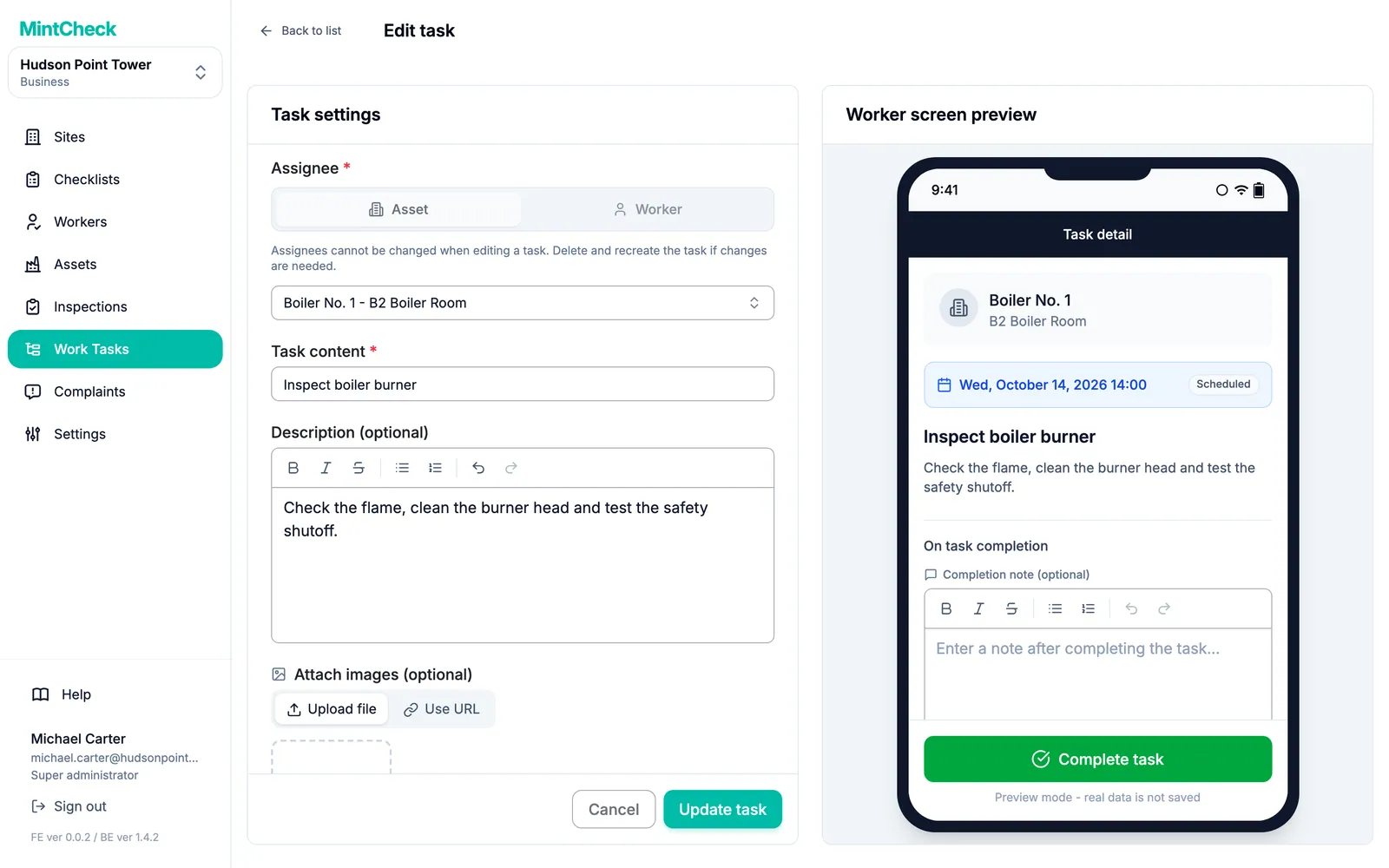
A work task is a one-off job outside your regular checklists, such as "Replace the filter in air handler 2". You create it in the admin console and assign it to an asset, a worker or a work tag. Workers see it on their phones, get a notification in the MintCheck app, and mark it complete with a note and photos.
How it works
- 1
Create the task
Write what needs doing, add a description and images if needed, and set a due date or leave it as an immediate task.
- 2
Choose who does it
Assign it to an asset, so any worker who scans that asset sees it, to one worker, or to a work tag, so anyone with that tag can take it.
- 3
Track it until it is done
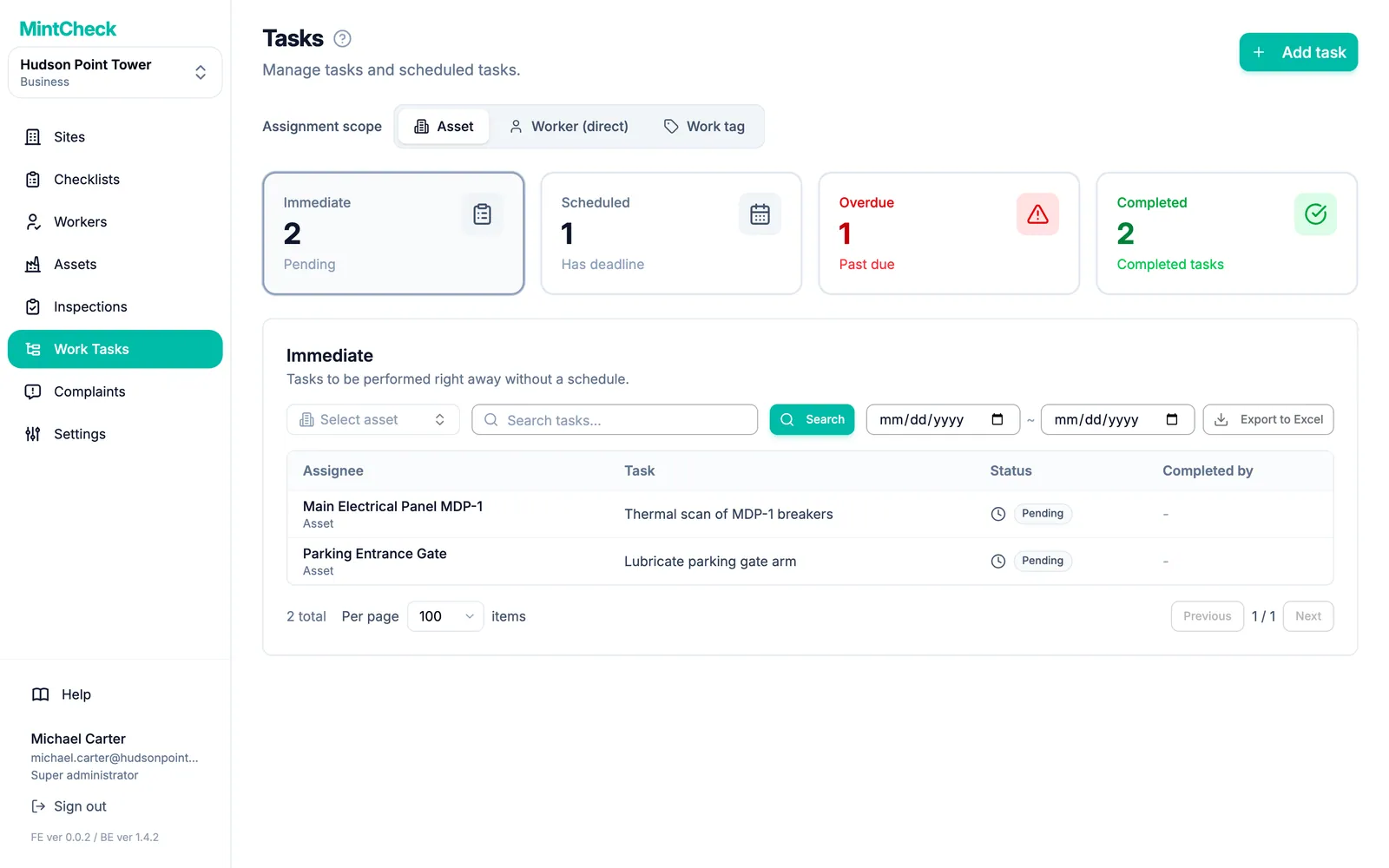
Tasks are split into Immediate, Scheduled, Overdue and Completed. Workers complete them with a note and photos, and you can export the list to Excel.
Good to know
- Tasks for an asset are free on every plan.
- Assigning to one worker is a $35 per month add-on on pay as you go. Business and Master include direct and tag-based assignment.
- Workers are notified as soon as a task is assigned, and reminded 30 minutes before a task with a start time.
- Overdue tasks show how many days late they are.
Questions
How do workers know they have a new task?
When a task is assigned to them or to one of their work tags, the MintCheck app notifies them right away. Tasks for an asset also appear when a worker scans that asset's QR code.
Which plans include assigning to workers and tags?
Assigning to an asset works on every plan. Assigning to one worker needs the $35 per month add-on on pay as you go, or Business or Master. Assigning to a work tag needs Business or Master.
Can I turn a reported problem into a task?
Yes. When an inspection is marked Abnormal or a complaint needs real work, create a work task for the fix and track it until it is completed.
Learn more in the help center
- Work tasksCreate one-off tasks, assign them to an asset, a worker or a tag, and track them until done.
- WorkersRegister workers one by one or from Excel, use task tags, and deactivate workers without losing history.
- Worker appHow workers sign in with a phone, run inspections, finish tasks, and use their home screen.