QR inspections.
Automatic records.
Scan the QR code on equipment, a room or a vehicle, and its checklist opens.
Results, photos, who and when — all recorded as they happen.
Task assignment and complaints, all in one place.

Sound familiar?
Checklists on paper.Photos in group chats.History in spreadsheets.

When records scatter,small problemsquietly grow.
No proof the check happened
A signature and a date on paper
can't show what was actually checked.
Results, photos and times stay on record
Scan the QR on site and check it off —
who checked what, and when, is recorded automatically.
Issues get spotted, then forgotten
Reports sink in chat threads,
and no one knows if they were fixed.
Nothing slips through until it's fixed
Issues stay on the list until resolved and are confirmed with a re-check.
The original report is kept just as it was.
Work orders and complaints go by phone
Who's on it? Is it done?
You have to ask every time.
Tasks in seconds, complaints by QR
Assign a task and the worker's app is notified right away.
Visitors file complaints themselves with a QR scan.
More sites, less visibility
Checking each building separately
takes the whole day.
Every site on one screen
See completion rates, open issues, pending tasks and
unresolved complaints for each site at a glance.
Scan. Check. Done.
Workers scan the QR code on an asset with the MintCheck app.
Today's checklist opens right away, so anyone can start without training.
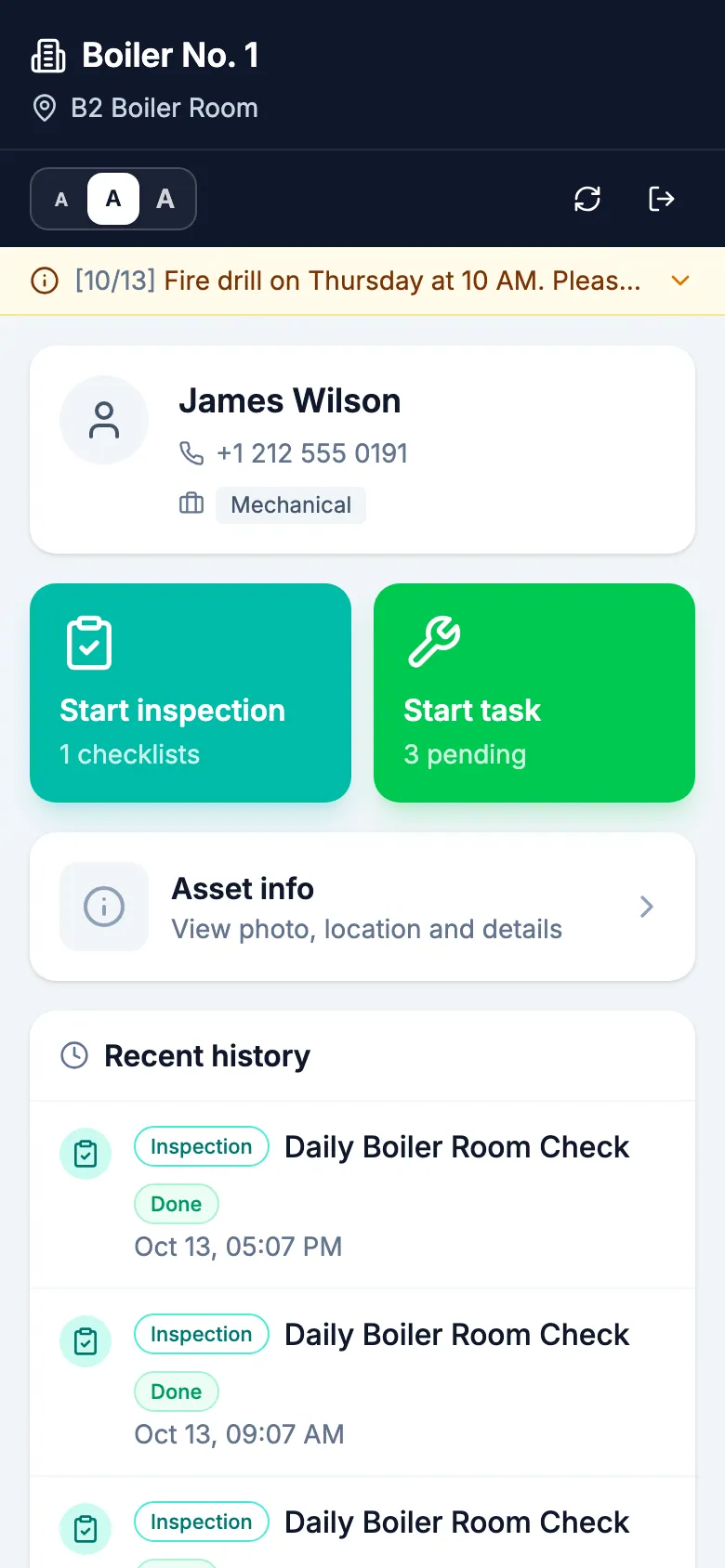
1QR scan
Asset info and today's checks
open instantly
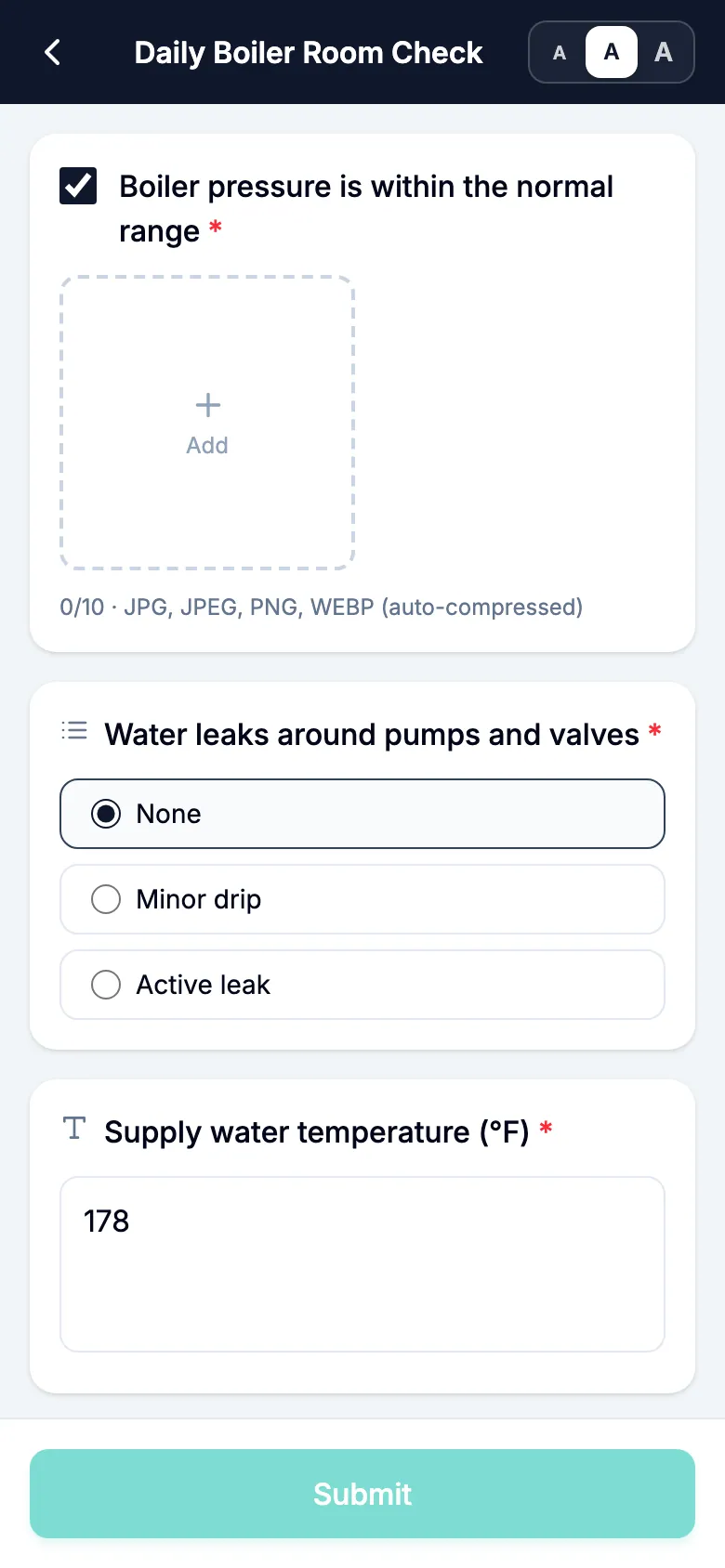
2Check · Photo
Tap the items and take
photos on the spot
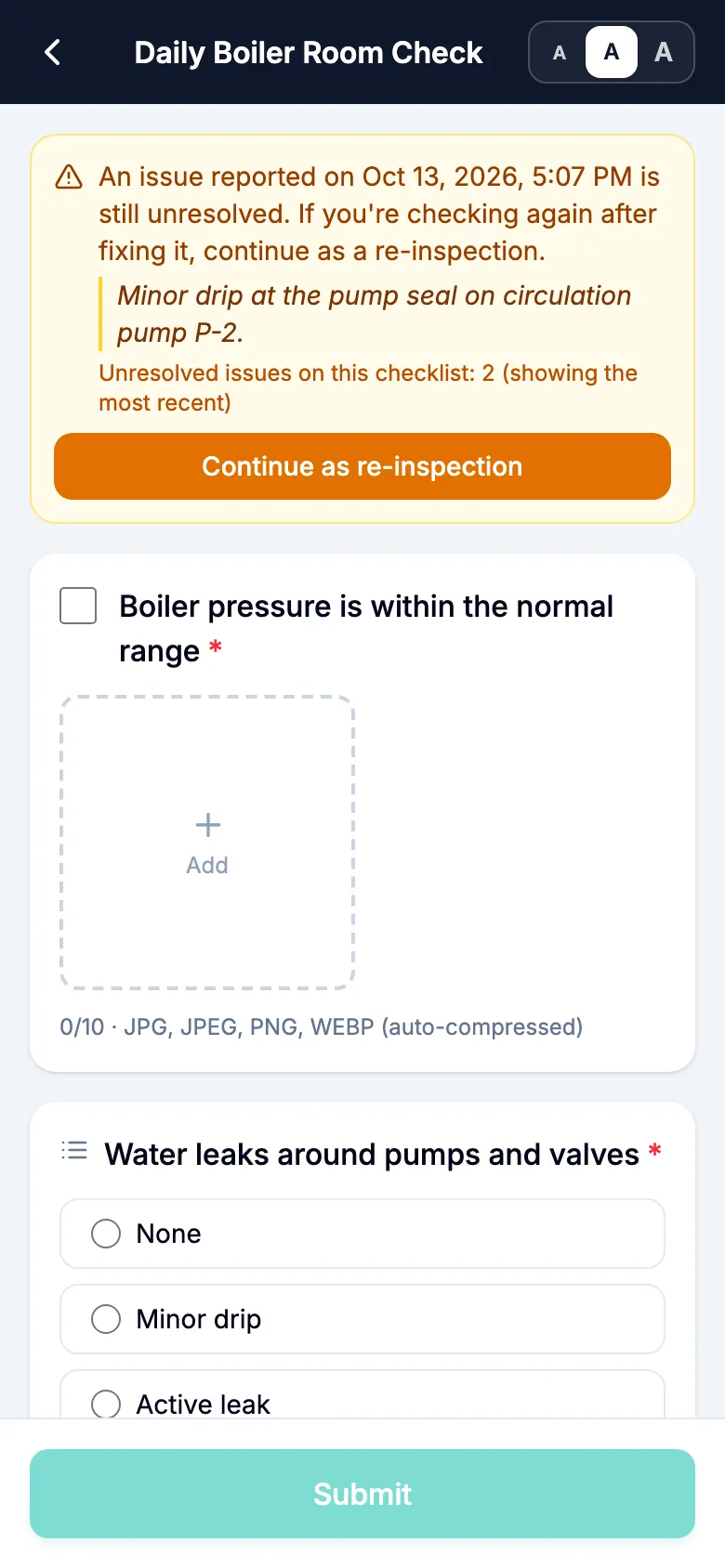
3Track to resolution
Issues are re-checked
until they're resolved
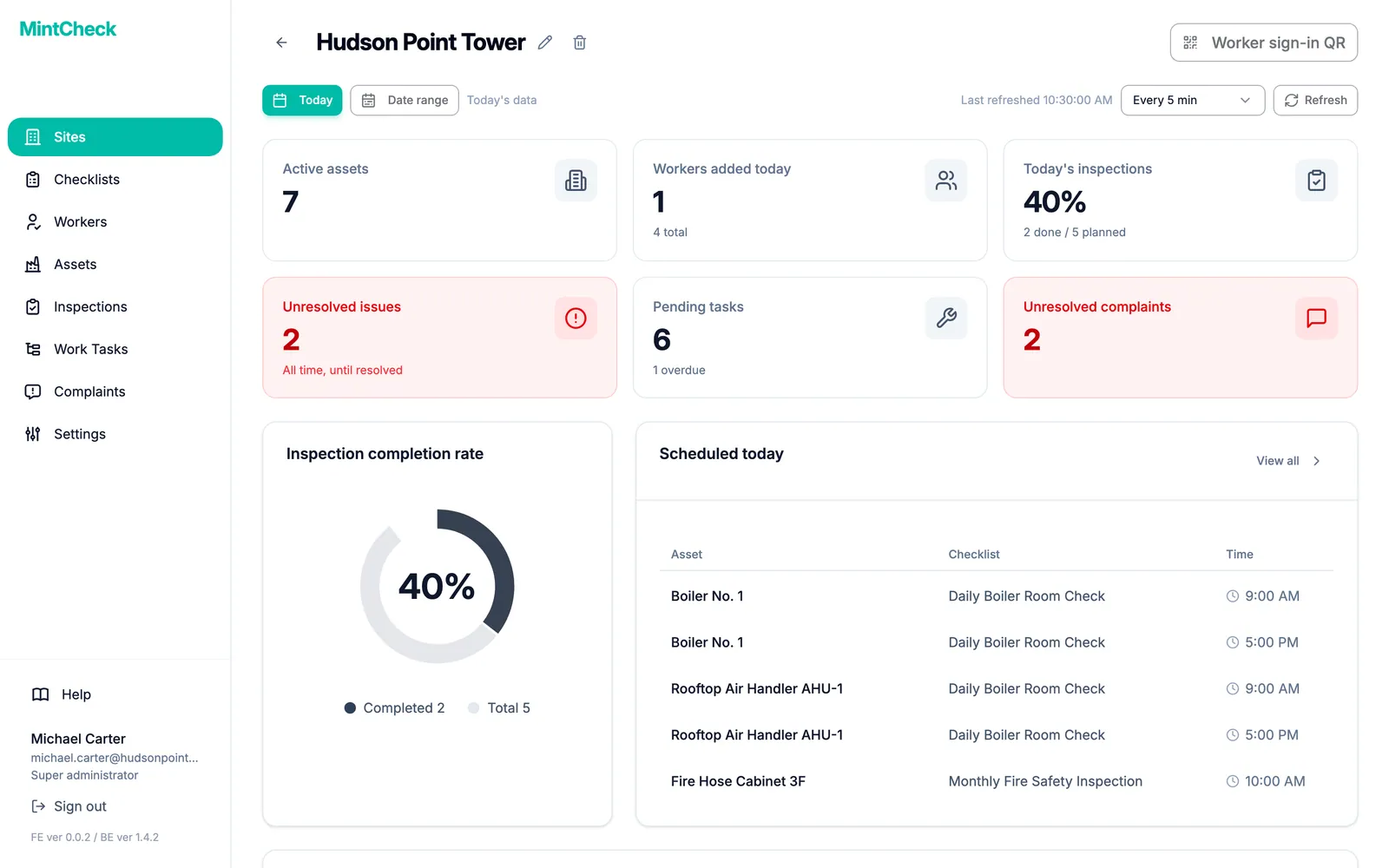
Every site, one view
Compare completion rates, pending tasks and complaints
across sites on one screen, then drill straight in.
Records can be exported to Excel.
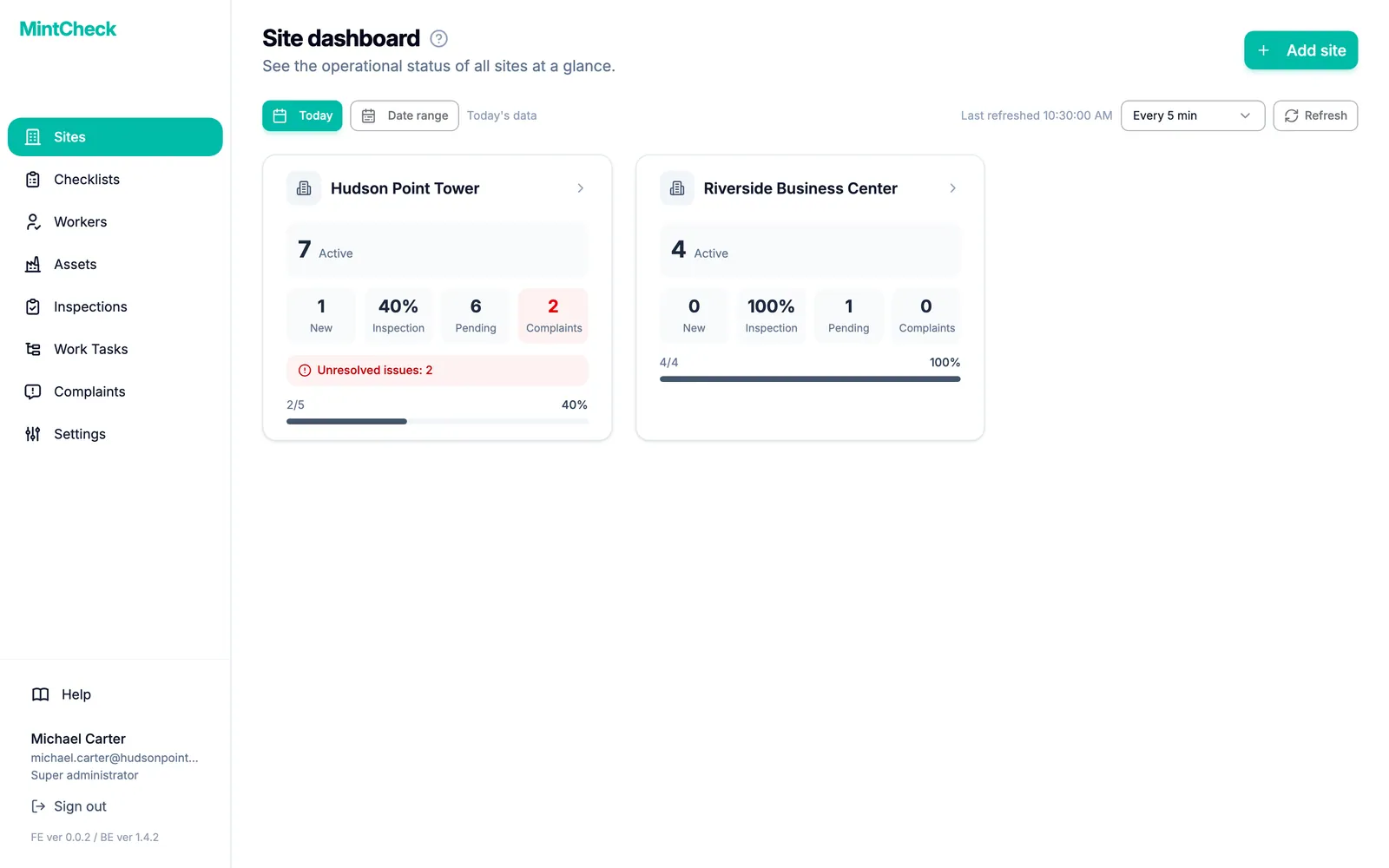
What needs attention
shows up in red
Click a site to see
its full status
Hand off work
in seconds
Create immediate or scheduled tasks
and assign them by asset, worker or tag.
Workers are notified in the MintCheck app
the moment a task is assigned.
Tuesday, October 13
9:41
'Replace cracked glass on hose cabinet door' has been assigned to you.
'10:00 AM - Monthly Fire Safety Inspection' is scheduled.
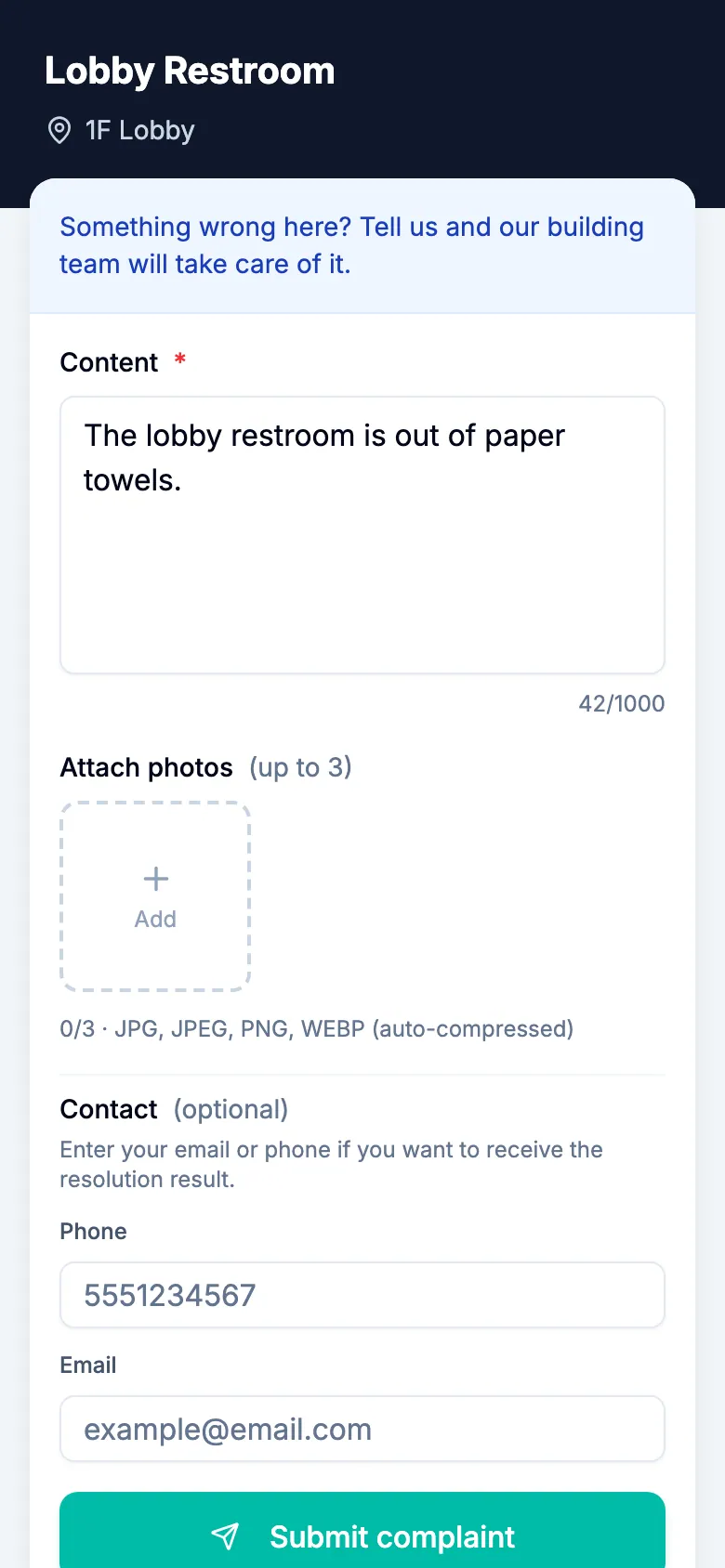
Anyone can
report a problem
Visitors scan an asset's QR code
and report it with a photo —
no account or app needed.
Everything from intake to resolution stays on record.
Content *
42/1000
Some features vary by plan.
One click beats a thousand words
Tap through the screens above and experience the whole flow in 2 minutes.
See MintCheck in action
Short videos showing how inspections, tasks and complaints work.
Getting started is simple
- 1
Add assets & checklists
from templatesPick an industry template
and you're ready to go - 2
Print all QR labels
at onceQR codes for many assets
on a single sheet - 3
Stick them on and
start inspecting that dayScan, and the check
begins right away
A plan for every size. Start for free.
Start free with up to 5 assets, then choose the plan that fits as your team and sites grow. No surprise bills — you upgrade only when you choose.
Free
Asset inspection for a single site.
Free forever for up to 5 assets
Start for free- Assets
- Up to 5
- Sites
- 1
- Task assignment
- Asset tasks only
- Workers
- Unlimited
- History lookback
- 12 months
- Support
- Documentation
Pay as you go
Grow to 30 assets, still on one site.
First 5 assets free, then $0.99 per asset per month
Start for free- Assets
- 6–30 · $0.99 each
- Sites
- 1
- Task assignment
- Direct assignment add-on, +$35/mo
- Workers
- Unlimited
- History lookback
- 12 months
- Support
Business
14-day free trialThe operations package for teams running several sites.
Try Business free for 14 days. A card is required, and you can cancel anytime during the trial.
Start 14-day trial- Assets
- 31–200
- Sites
- Up to 3
- Task assignment
- Direct + tag assignment, unlimited
- Workers
- Unlimited
- History lookback
- 36 months
- Support
- Priority
Master
Unlimited assets and sites for large operations.
No surprise bills
Get Master- Assets
- Unlimited
- Sites
- Unlimited
- Task assignment
- Direct + tag assignment, unlimited
- Workers
- Unlimited
- History lookback
- Unlimited
- Support
- Priority
Over 30 assets, move up to Business; over 200 assets or 3 sites, Master. Going past a limit never triggers an automatic charge — you upgrade only when you choose.
- Unlimited inspection items & checklists
- Unlimited admins & workers
- QR-based mobile inspections
- Asset tasks always free
Pay-as-you-go calculator
1 asset = 1 QR code (an extinguisher, a restroom, a vehicle)
Upgrades apply immediately. Cancellations and downgrades take effect at the end of the billing period, and a downgrade requires your usage to fit within the lower plan.
All prices are in USD. Applicable taxes are calculated automatically at checkout based on your location and billed monthly or annually.
Start for free
Sign up and get going right away, or explore the demo first — no sign-up needed.
- Free for up to 5 assets
- Unlimited workers & admins
- Dedicated worker app · instant task alerts