Inspection checklists
A checklist is the list of questions a worker answers during an inspection, such as "Pressure gauge normal?" or "Take a photo of the panel", together with its schedule. You create it once and link it to as many assets as you need: one fire extinguisher checklist can cover every extinguisher in the building.
How it works
- 1
Start from a template
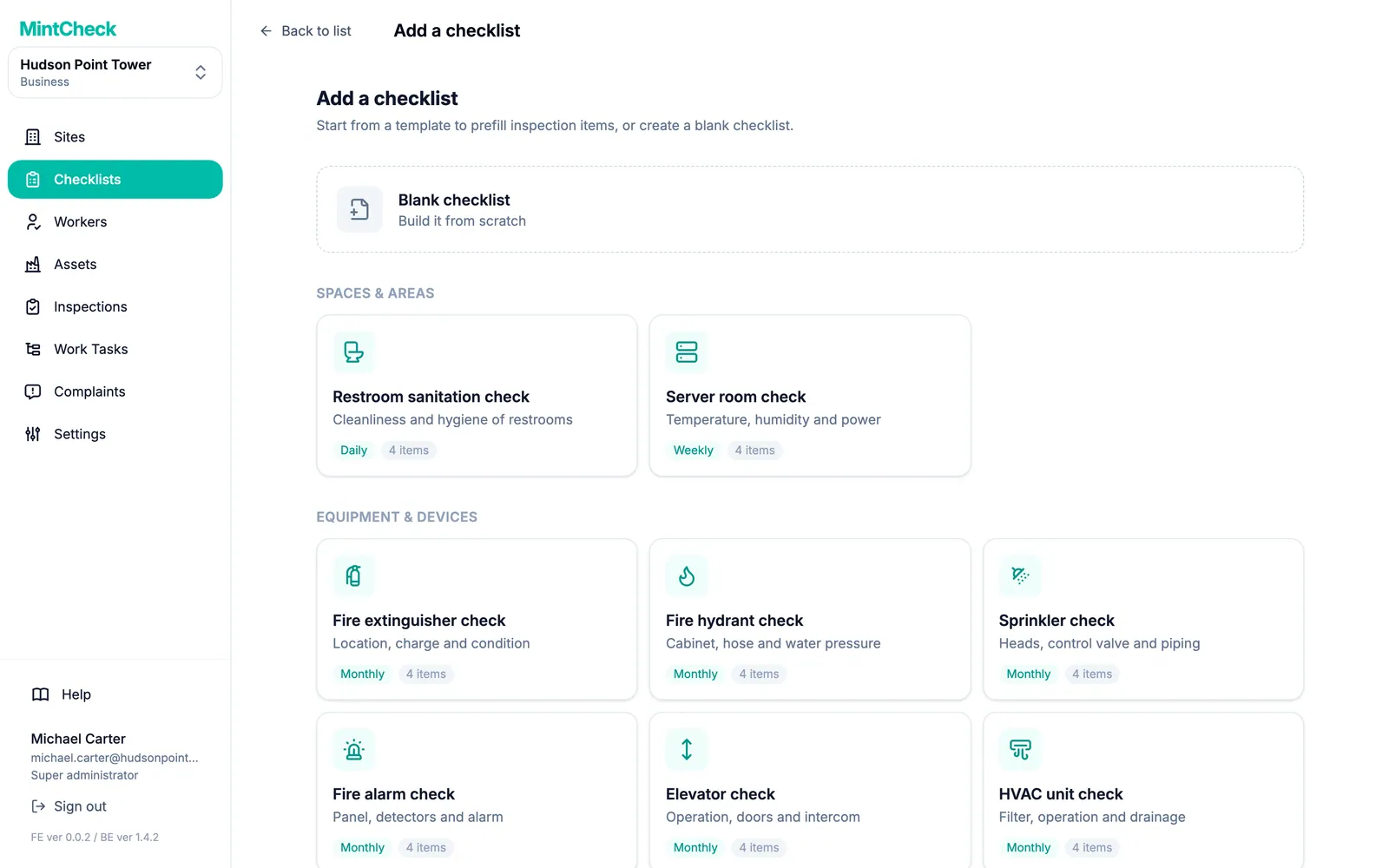
Pick a ready-made template, such as a fire extinguisher, elevator or restroom, or start from a blank checklist. The name, items and schedule are filled in, and you can change anything before you save.
- 2
Add items
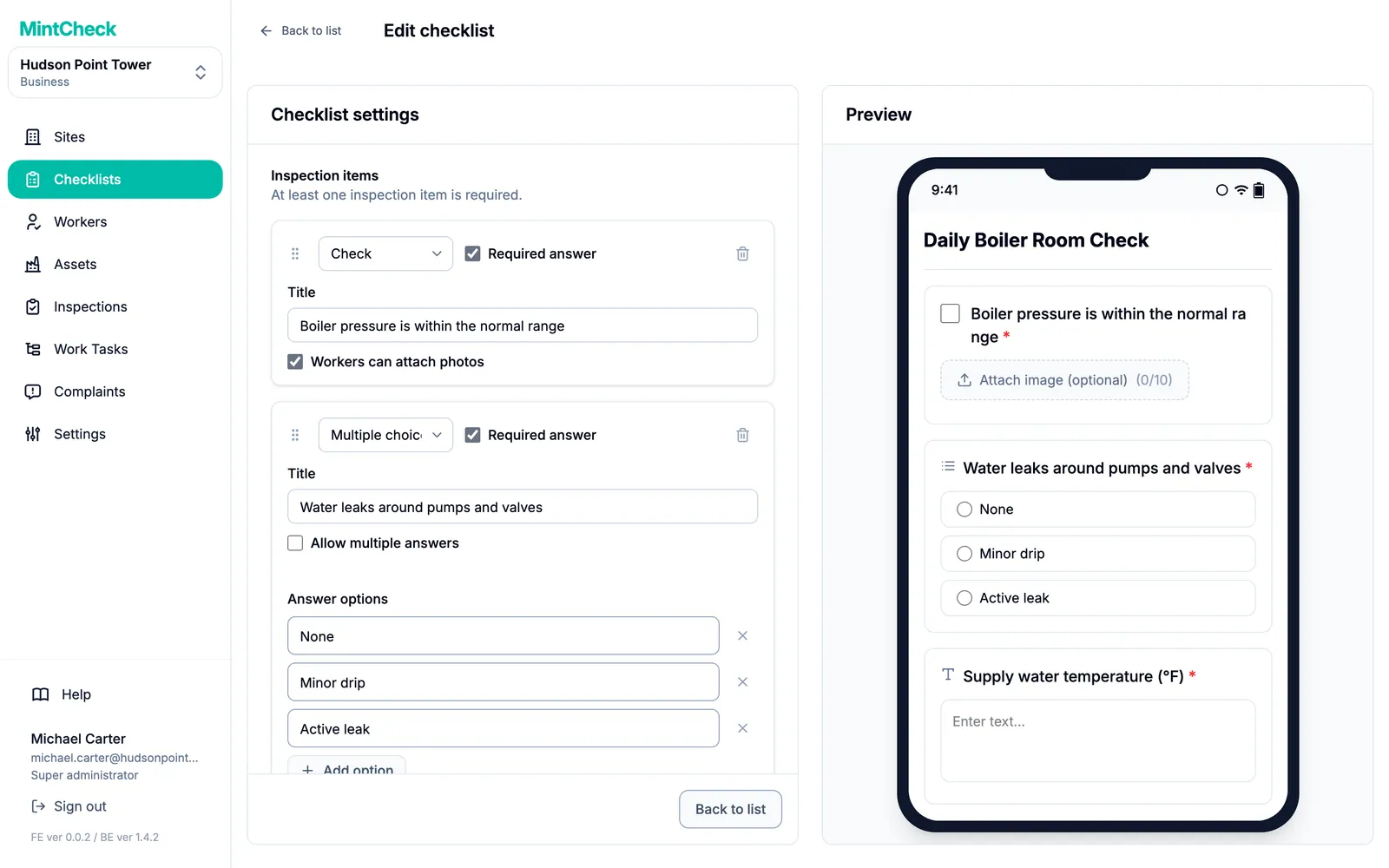
Each item is a check, multiple choice, text or image. Make items required, let workers attach photos, and see a live preview of the worker's phone screen as you type.
- 3
Set the schedule
Choose daily, weekly, monthly or yearly, at any time on the due day or at set times, for example 9:00 and 18:00 for two rounds a day.
Good to know
- Unlimited checklists and items on every plan.
- Each scheduled time is a separate inspection, counted once for every linked asset.
- Copy a checklist to make a similar one, or pause it without deleting it.
- Deleting a checklist stops future inspections but keeps every submitted record.
Questions
Can I use the same checklist for many assets?
Yes. Link one checklist to as many assets as you like. Workers see it when they scan any of those assets, and each asset's inspections are recorded separately.
How are scheduled inspections counted?
Each time slot counts once for every linked asset. A daily checklist with two times, linked to three assets, gives six scheduled inspections that day. A checklist with no set time counts once per due day.
What if something should be recorded whenever it happens, not on a schedule?
Use a logbook. It is a checklist with no schedule that can be filled in as many times as needed.
Learn more in the help center
- ChecklistsCreate checklists from templates, add items, set schedules, link them to assets, and manage them.
- AssetsAdd assets from templates, link checklists, review each asset's history, and manage plan limits.
- Logbooks and public entriesRecord entries anytime with logbook checklists, and let anyone fill them by scanning a public QR.