The MintCheck worker app
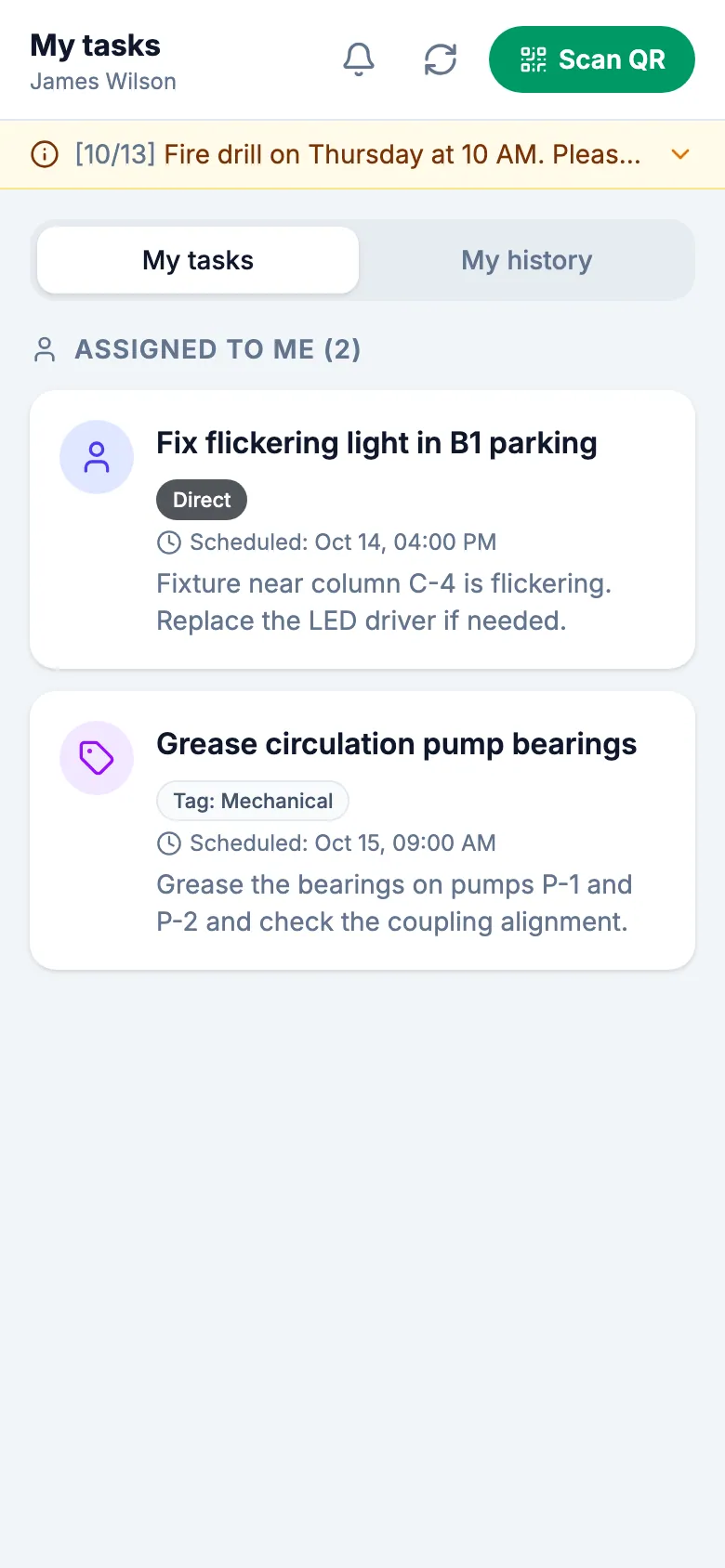
Field workers use the MintCheck app on their own phone (iPhone, iPad or Android). An administrator registers them, they sign in once with a login ID or phone number, with no password, and then scan an asset's QR code to run its checklists and finish its tasks. The app notifies them when a task is assigned and before scheduled checks.
How it works
- 1
Sign in once
Scan an asset's QR code or the site's login QR code and enter a login ID or phone number. The app keeps workers signed in, even after the phone restarts.
- 2
Scan and work
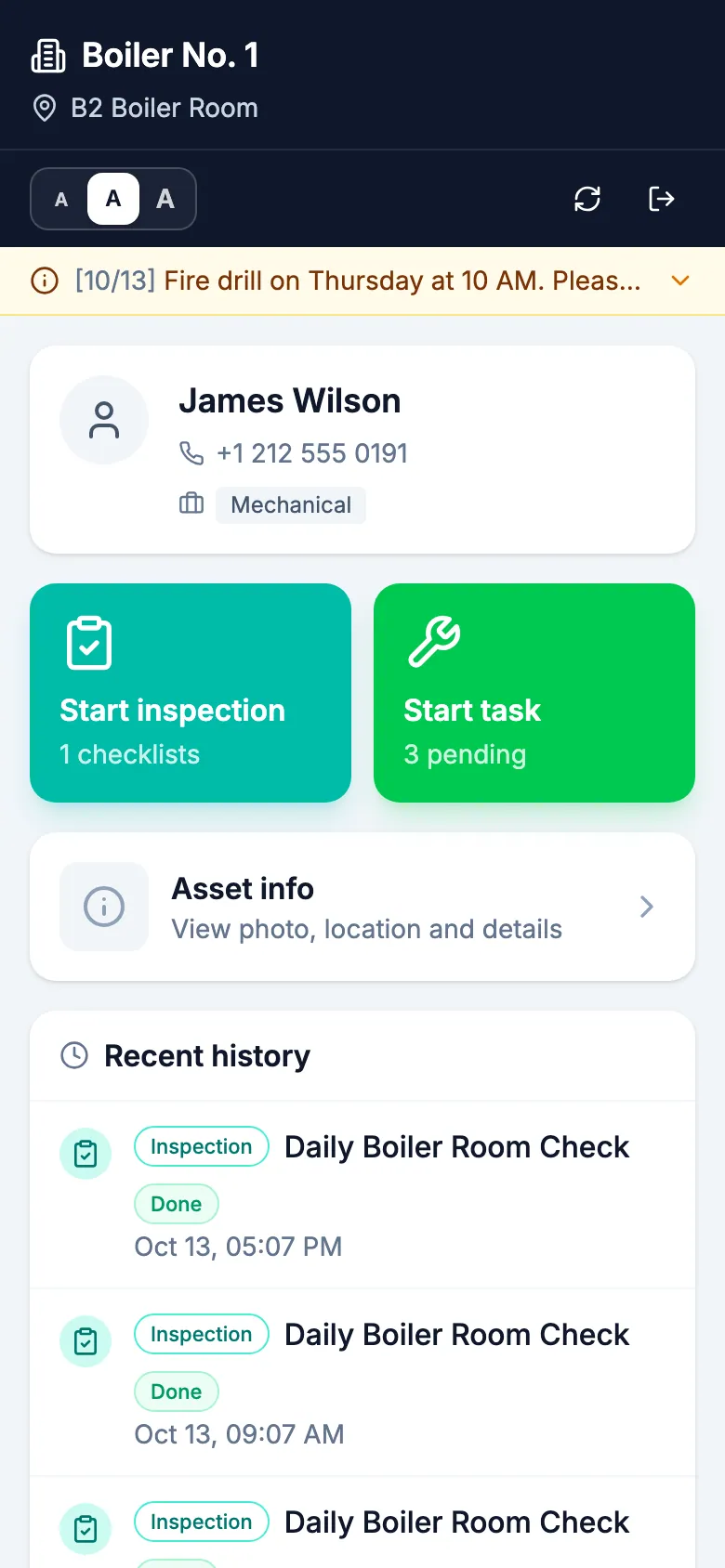
The asset screen shows the checklists ready today and the tasks for that asset. Workers answer the items, add photos and submit.
- 3
Get notified
Workers get a notification when a task is assigned to them, and a reminder 30 minutes before the scheduled checks they choose.
Good to know
- Free to install from the App Store and Google Play.
- There is no sign-up in the app. Workers are added by their organization's administrator.
- Text can be made bigger or smaller with one tap.
- Before installing the app, workers can do the same work in the phone browser.
Questions
How do workers sign in?
With the login ID or phone number their administrator registered. There is no password. They can also use a personal QR code or the site's login QR code.
Can workers use MintCheck without the app?
Yes. Scanning a QR code with the phone camera opens the same screens in the phone browser. The app adds staying signed in and notifications.
Which phones are supported?
iPhone, iPad and Android phones. Get the app from the App Store or Google Play, or open mintcheck.today/app on the phone.
Learn more in the help center
- Worker appHow workers sign in with a phone, run inspections, finish tasks, and use their home screen.
- Site login QRPrint or share one QR code so workers can sign in to a site without scanning an asset.
- WorkersRegister workers one by one or from Excel, use task tags, and deactivate workers without losing history.