MintCheck for schools
A school has many rooms and many people, and few staff to look after them. With MintCheck each restroom, fire extinguisher and water tank gets a QR code. Facility staff scan it to run the checklist due that day, anyone at the school can report a problem through a complaint QR code, and entry and key logs replace paper.
How it fits your day
- 1
Safety checks on a schedule
Use the fire extinguisher, fire alarm and water tank checklists and set how often each one runs. Staff scan, answer and attach photos, and the dashboard shows what is done.
- 2
Anyone can report a problem
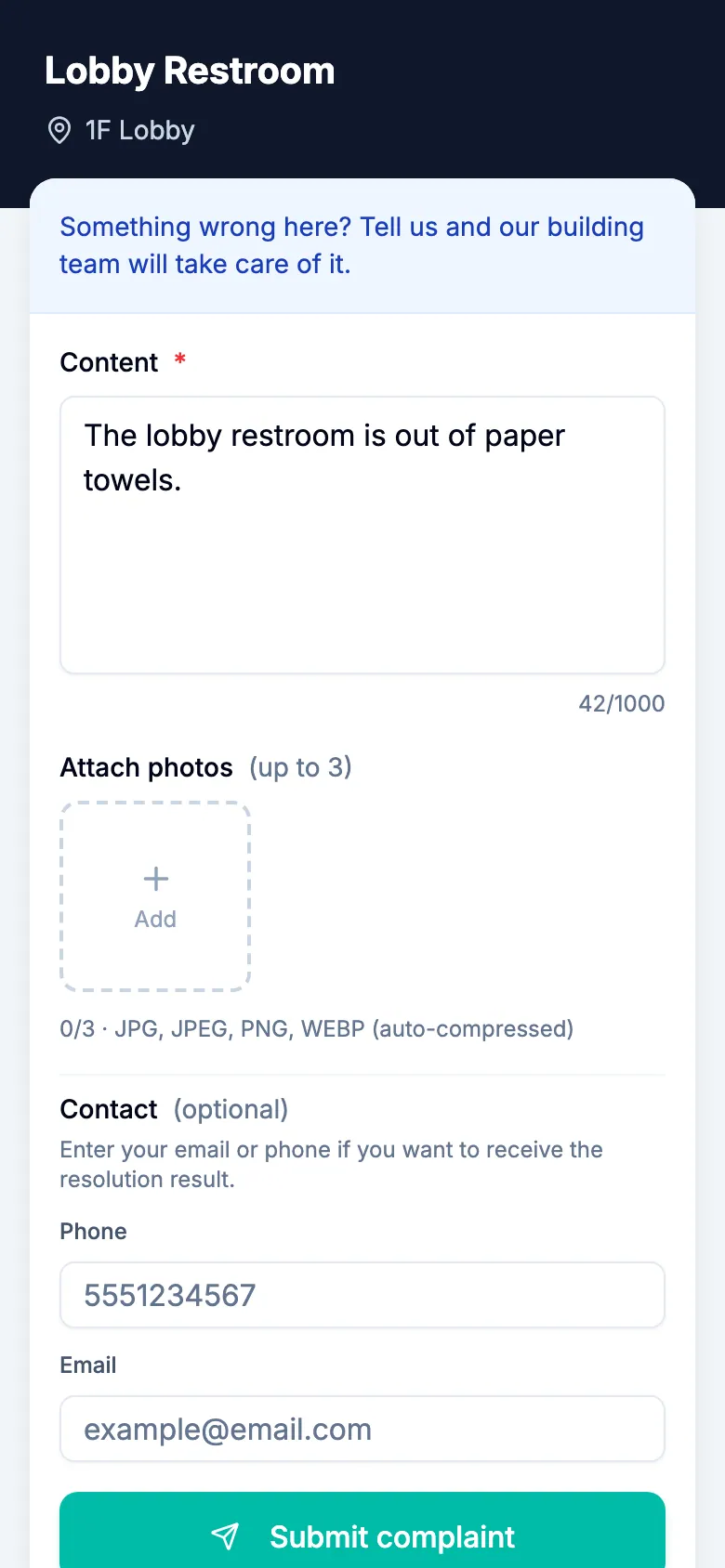
Put a complaint QR code in a restroom or hallway. Anyone can describe the problem and attach up to 3 photos without an account, and reports are anonymous unless they choose to leave contact details.
- 3
Entry and key logs instead of paper
Use the entry/exit log at the front desk and the key log for classrooms and labs. If you allow public entry, visitors can fill in the log by scanning a public logbook QR code, without signing in.
What you can put a QR code on
- Restroom
- Stairwell
- Lobby
- Fire extinguisher
- Fire alarm
- Lighting
- Water tank
- Computer
These are some of the asset templates in MintCheck. You can add anything else as a blank asset.
Ready-made checklists
Fire extinguisher check
MonthlyLocation, charge and condition
- Location & signage
- Pressure gauge (Normal / Needs recharge / Replace)
- No damage or corrosion
- Notes
Fire alarm check
MonthlyPanel, detectors and alarm
- Panel indicators normal
- Detector function test (Normal / Partly faulty / All faulty)
- Bell/siren sounds
- Notes
Water tank check
MonthlyLevel, water quality and hygiene
- Level & water supply
- Water quality (visual) (Good / Debris / Contamination suspected)
- Cover & vent hygiene
- Notes
Restroom sanitation check
DailyCleanliness and hygiene of restrooms
- Floor and sink cleanliness
- Odor level (Good / Fair / Poor)
- Supplies stocked (paper, soap)
- Notes
Ready-made logbooks
Entry/exit log
Record visitor & staff in/out by QR scan
- Direction (Entry / Exit)
- Name
- Affiliation / contact
- Purpose / notes
Key log
Record key handout & return by QR scan
- Key number / name
- Action (Checked out / Returned)
- Person
- Notes
Templates are starting points, and you can change every item before you save. Check what your local regulations require.
Questions
Do students need an account to report a problem?
No. Anyone can scan the complaint QR code with a phone camera and send a report, with no account or app.
Can we manage several campuses?
Yes. Each campus is a site. Free and pay as you go include 1 site, Business up to 3 sites and Master unlimited sites.
Related features
- QR complaint boxVisitors scan a complaint QR code to report a problem with photos, with no account or app. You get an email and follow each complaint from received to resolved.
- LogbooksReplace paper logbooks. Workers or visitors scan a QR code to add an entry anytime: entry and exit, vehicle, key, temperature or patrol logs.
- ChecklistsBuild inspection checklists from ready-made templates, with check, multiple choice, text and photo items, and schedule them daily, weekly, monthly or yearly.
- Worker appThe MintCheck app for iPhone, iPad and Android: workers sign in once with a login ID or phone number, scan QR codes, run inspections and finish tasks.