MintCheck for factories
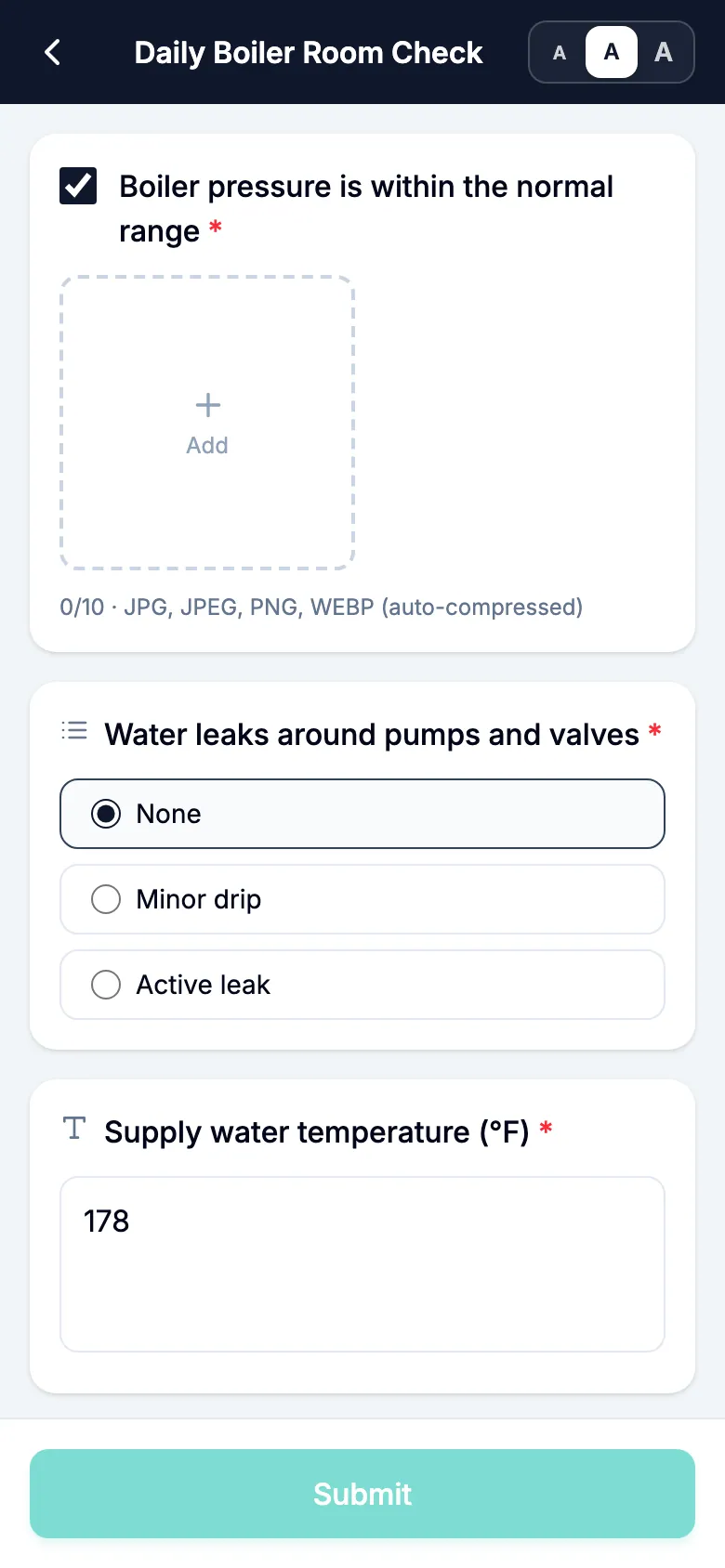
A factory runs on equipment checks that can't be skipped: boilers, generators, electrical panels, fire equipment, vehicles. With MintCheck each one gets a QR code. Workers scan it on the floor, answer the checklist due that day and attach photos, and any problem stays open until a fix is confirmed.
How it fits your day
- 1
Scheduled equipment checks
Start from the boiler, generator or electrical panel checklist and set how often it runs. The dashboard shows completed inspections against planned ones, so a missed check shows up.
- 2
Problems stay open until fixed
When a worker marks a result Abnormal, it stays unresolved until a re-inspection or the next regular inspection comes back Normal, or an admin resolves it with a note. The original report and photos stay as they were.
- 3
Find equipment in a large plant
Upload a floor plan and pin each asset's location. Workers open it on their phone from the asset info screen and zoom in to find the equipment.
What you can put a QR code on
- Machine room
- Boiler
- Generator
- Electrical panel
- Water pump
- Fire hydrant
- Vehicle
- Storage room
These are some of the asset templates in MintCheck. You can add anything else as a blank asset.
Ready-made checklists
Boiler check
MonthlyPressure, combustion and leaks
- Pressure & water level in range
- Combustion state (Normal / Incomplete / Abnormal)
- No water/oil leakage
- Notes
Generator check
MonthlyFuel, battery and test run
- Fuel & oil level
- Battery condition
- No-load test run (Starts normally / Delayed start / Fails to start)
- Notes
Electrical panel check
MonthlyCondition, heat and breakers
- Condition & indicators
- Heat / overheating signs (Normal / Slight heat / Overheating suspected)
- Earth-leakage breaker trips
- Notes
Vehicle daily check
DailyTires, fluids, lights and brakes
- Tire pressure & wear
- Engine oil & coolant level
- Lights (headlights, brake lights) (Normal / Some faulty / All faulty)
- Notes
Ready-made logbooks
Patrol log
Record security patrol rounds by QR scan
- Patrol area — no issues
- Findings (None / Minor / Urgent)
- Location / details
- Site photo
Temperature log
Record temperature readings by QR scan
- Target / location
- Temperature (°C)
- Within normal range (Normal / Caution / Abnormal)
- Action / notes
Templates are starting points, and you can change every item before you save. Check what your local regulations require.
Questions
Can workers record meter readings?
Yes. A checklist item can be a text item for a short note or a reading, and the temperature log is made for repeated readings.
Can we export the records?
Yes. Inspection records can be exported to Excel with the inspection time, asset, checklist, inspector, result and the description of any problem.
Related features
- QR inspectionsPut a QR code on each asset. Workers scan it with the MintCheck app to run the checklist due today, with the time, name and photos saved automatically.
- ChecklistsBuild inspection checklists from ready-made templates, with check, multiple choice, text and photo items, and schedule them daily, weekly, monthly or yearly.
- Floor plansUpload floor plans for each asset and pin its location, so workers can find equipment quickly in large buildings.
- Work tasksCreate one-off jobs such as repairs, assign them to an asset, a worker or a work tag, and track them until done. Workers are notified in the MintCheck app.