MintCheck for apartments
Apartment buildings share elevators, water tanks, fire equipment, parking areas and stairwells. With MintCheck each one gets a QR code. Management staff scan it to run the checklist due that day, residents can report problems through a complaint QR code, and patrol and entry records move from paper to logbooks.
How it fits your day
- 1
Shared facility checks
Start from the elevator, water tank, fire hydrant and sprinkler checklists and set how often each one runs. Staff scan, answer and attach photos, and each result is saved with the time and their name.
- 2
Residents report problems
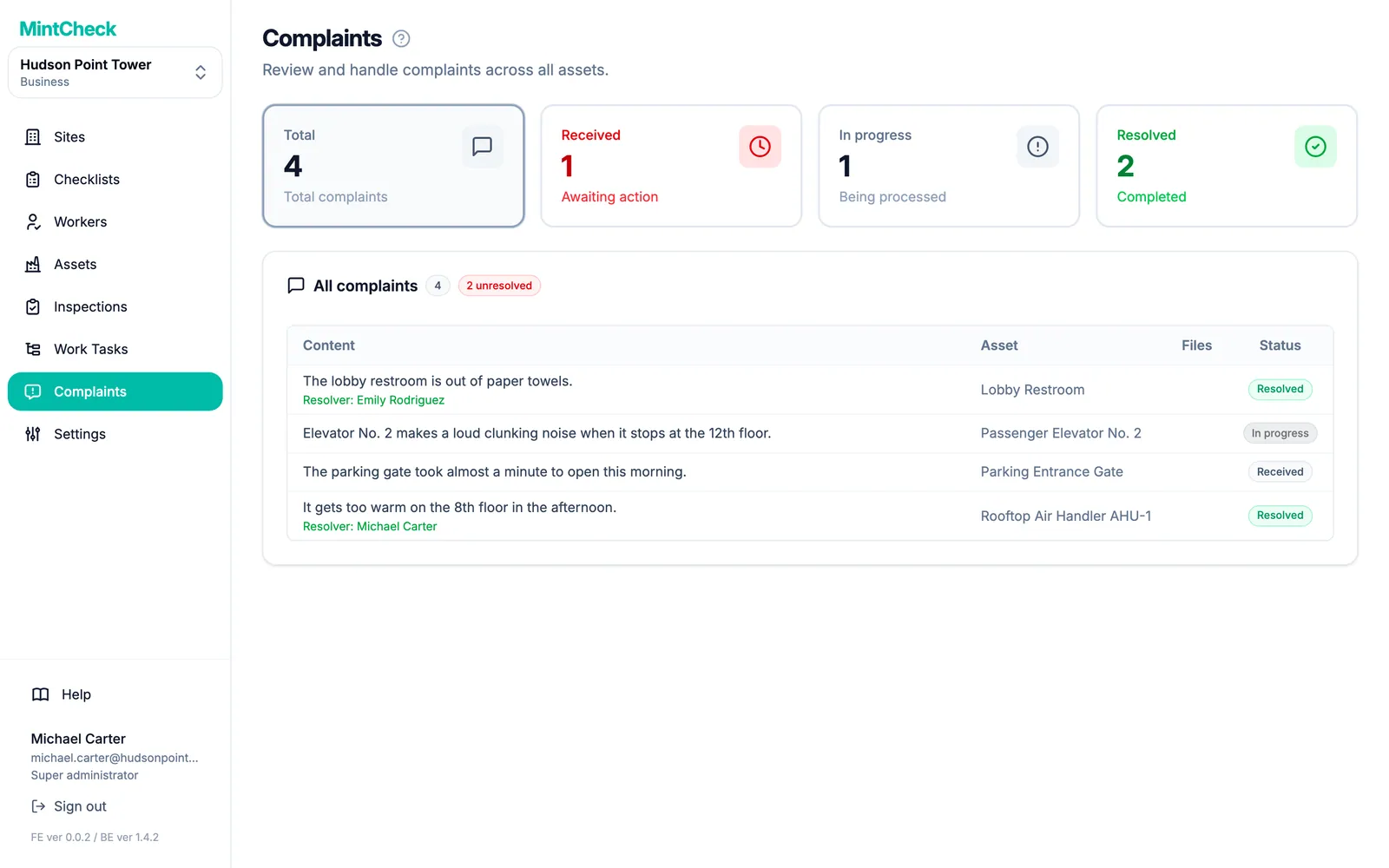
Put a complaint QR code in an elevator or lobby. Residents send a description and up to 3 photos without an account, and can leave a phone number or email to hear back. You move each complaint from Received to Resolved.
- 3
Patrol and visitor logs
Use the patrol log for security rounds and the entry/exit log at the entrance. Each entry is saved right away, and you can review all entries on the asset's page.
What you can put a QR code on
- Elevator
- Water tank
- Fire hydrant
- Sprinkler
- Parking area
- Stairwell
- Rooftop
- Water pump
These are some of the asset templates in MintCheck. You can add anything else as a blank asset.
Ready-made checklists
Elevator check
MonthlyOperation, doors and intercom
- Operation, noise/vibration
- Emergency intercom works
- Door opening/closing (Normal / Minor issue / Repair now)
- Notes
Water tank check
MonthlyLevel, water quality and hygiene
- Level & water supply
- Water quality (visual) (Good / Debris / Contamination suspected)
- Cover & vent hygiene
- Notes
Fire hydrant check
MonthlyCabinet, hose and water pressure
- Cabinet & signage
- Hose & nozzle present
- Valve & water pressure (Normal / Needs check / Faulty)
- Notes
Sprinkler check
MonthlyHeads, control valve and piping
- Heads clear of obstruction
- Control valve position (Open (normal) / Closed (faulty))
- No pipe leakage
- Notes
Ready-made logbooks
Patrol log
Record security patrol rounds by QR scan
- Patrol area — no issues
- Findings (None / Minor / Urgent)
- Location / details
- Site photo
Entry/exit log
Record visitor & staff in/out by QR scan
- Direction (Entry / Exit)
- Name
- Affiliation / contact
- Purpose / notes
Templates are starting points, and you can change every item before you save. Check what your local regulations require.
Questions
Do residents need an app?
No. They scan the complaint QR code with the phone camera, and a simple form opens in their phone's language.
Can residents see what happened to their complaint?
There are no resident accounts. If a resident leaves a phone number or email, it appears on the complaint, and you can tell them the result yourself.
Related features
- QR complaint boxVisitors scan a complaint QR code to report a problem with photos, with no account or app. You get an email and follow each complaint from received to resolved.
- QR inspectionsPut a QR code on each asset. Workers scan it with the MintCheck app to run the checklist due today, with the time, name and photos saved automatically.
- LogbooksReplace paper logbooks. Workers or visitors scan a QR code to add an entry anytime: entry and exit, vehicle, key, temperature or patrol logs.
- Work tasksCreate one-off jobs such as repairs, assign them to an asset, a worker or a work tag, and track them until done. Workers are notified in the MintCheck app.