MintCheck for public facilities
Public facilities are used by everyone, and visitors often notice problems first. With MintCheck, restrooms, lobbies, elevators, parking areas and fire equipment each get a QR code. Staff scan it to run the checklist due that day, and anyone can report a problem through a complaint QR code, in their own language, with no account or app.
How it fits your day
- 1
Restrooms and shared spaces
Use the restroom checklist for scheduled checks and the cleaning log to record each cleaning. Results are saved with the time, the worker's name and any photos.
- 2
Reports from the public
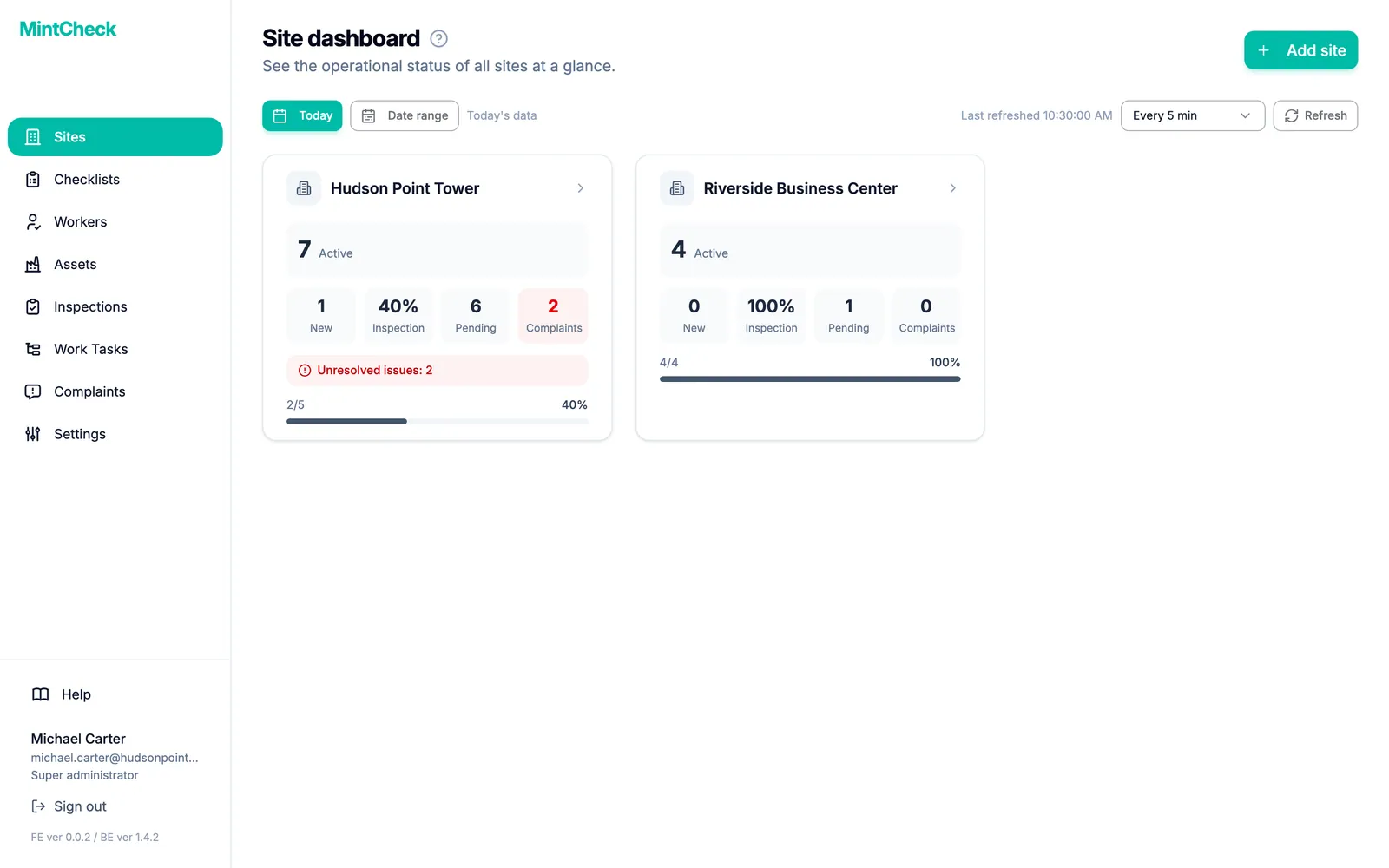
Turn on the complaint box for the places people use. Administrators get an email for each new complaint and every status change, and the site dashboard shows how many are unresolved.
- 3
Several facilities, one view
Run each facility as a site and compare inspections, pending tasks and complaints on one screen. Inspection records can be exported to Excel.
What you can put a QR code on
- Restroom
- Lobby
- Elevator
- Parking area
- Fire extinguisher
- Lighting
- CCTV
- Stairwell
These are some of the asset templates in MintCheck. You can add anything else as a blank asset.
Ready-made checklists
Restroom sanitation check
DailyCleanliness and hygiene of restrooms
- Floor and sink cleanliness
- Odor level (Good / Fair / Poor)
- Supplies stocked (paper, soap)
- Notes
Elevator check
MonthlyOperation, doors and intercom
- Operation, noise/vibration
- Emergency intercom works
- Door opening/closing (Normal / Minor issue / Repair now)
- Notes
Fire extinguisher check
MonthlyLocation, charge and condition
- Location & signage
- Pressure gauge (Normal / Needs recharge / Replace)
- No damage or corrosion
- Notes
CCTV check
WeeklyImage, recording and lens
- Image output / display
- Recording status (Recording normally / Some channels faulty / Not working)
- Lens clean & aimed
- Notes
Ready-made logbooks
Cleaning log
Record cleaning completion by QR scan
- Cleaning completed
- Cleaning condition (Good / Fair / Poor)
- Person in charge
- Notes
Patrol log
Record security patrol rounds by QR scan
- Patrol area — no issues
- Findings (None / Minor / Urgent)
- Location / details
- Site photo
Templates are starting points, and you can change every item before you save. Check what your local regulations require.
Questions
What language does the complaint form use?
The form opens in the visitor's phone language. MintCheck is available in 37 languages.
Does the price depend on how many visitors we have?
No. Pricing depends on assets and sites, not people. Visitors don't need accounts, and every plan includes unlimited admins and workers.
Related features
- QR complaint boxVisitors scan a complaint QR code to report a problem with photos, with no account or app. You get an email and follow each complaint from received to resolved.
- Site dashboardSee today's completion rate, unresolved issues, open tasks and complaints for each site on one screen, refreshed automatically.
- LogbooksReplace paper logbooks. Workers or visitors scan a QR code to add an entry anytime: entry and exit, vehicle, key, temperature or patrol logs.
- QR inspectionsPut a QR code on each asset. Workers scan it with the MintCheck app to run the checklist due today, with the time, name and photos saved automatically.