MintCheck for office buildings
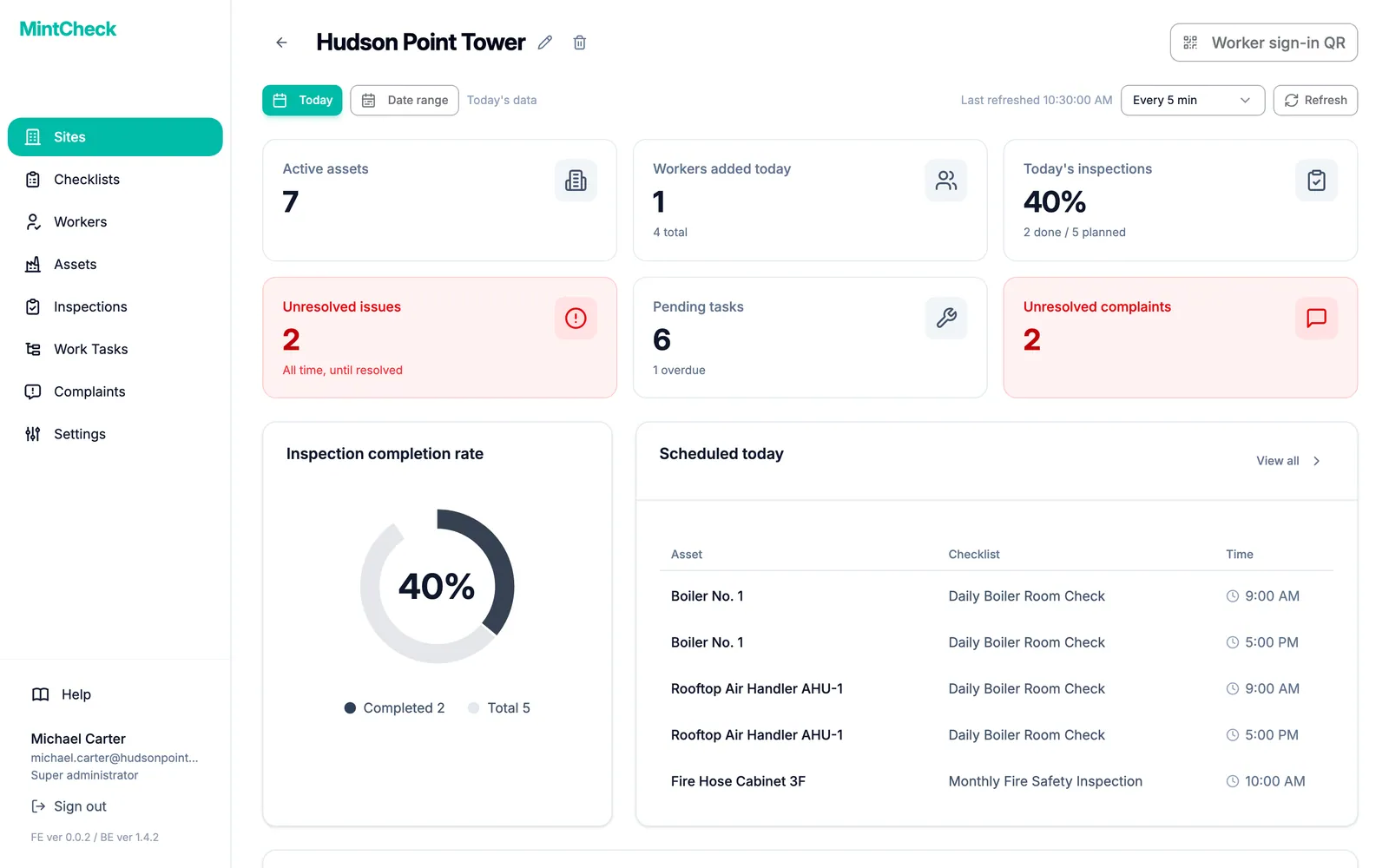
An office building has a lot to look after: elevators, restrooms, HVAC units, fire extinguishers, meeting rooms. With MintCheck each one gets a QR code. Facility and cleaning staff scan it to run the checklist due today, tenants can report problems through a complaint QR code, and you see what is done on one dashboard.
How it fits your day
- 1
Cleaning and equipment rounds
Link a checklist to each restroom, elevator and HVAC unit. Staff scan the QR code and answer on their phones, and each result is saved with the time, their name and any photos.
- 2
Tenants report problems
Turn on the complaint box for a restroom or lobby. Anyone can scan its complaint QR code and send a description with photos, with no account or app, and the site's administrators get an email.
- 3
Repairs that don't get lost
When something breaks, create a work task for that asset. It stays on the list until a worker completes it with a note and photos, and tasks past their due date are marked overdue.
What you can put a QR code on
- Lobby
- Meeting room
- Restroom
- Elevator
- HVAC unit
- Fire extinguisher
- Server room
- Parking area
These are some of the asset templates in MintCheck. You can add anything else as a blank asset.
Ready-made checklists
Elevator check
MonthlyOperation, doors and intercom
- Operation, noise/vibration
- Emergency intercom works
- Door opening/closing (Normal / Minor issue / Repair now)
- Notes
Restroom sanitation check
DailyCleanliness and hygiene of restrooms
- Floor and sink cleanliness
- Odor level (Good / Fair / Poor)
- Supplies stocked (paper, soap)
- Notes
HVAC unit check
MonthlyFilter, operation and drainage
- Filter cleanliness/replacement
- Heating/cooling operation (Normal / Reduced efficiency / Not working)
- Drainage / condensate
- Notes
Fire extinguisher check
MonthlyLocation, charge and condition
- Location & signage
- Pressure gauge (Normal / Needs recharge / Replace)
- No damage or corrosion
- Notes
Ready-made logbooks
Entry/exit log
Record visitor & staff in/out by QR scan
- Direction (Entry / Exit)
- Name
- Affiliation / contact
- Purpose / notes
Key log
Record key handout & return by QR scan
- Key number / name
- Action (Checked out / Returned)
- Person
- Notes
Templates are starting points, and you can change every item before you save. Check what your local regulations require.
Questions
Can cleaning contractors use MintCheck?
Yes, if your administrator registers them as workers. Workers sign in with a login ID or phone number, with no password, and every plan includes unlimited workers.
We manage several buildings. How does that work?
Each building is a site. Free and pay as you go include 1 site, Business up to 3 sites and Master unlimited sites. The site dashboard shows one card per site, so you can compare them at a glance.
Related features
- QR inspectionsPut a QR code on each asset. Workers scan it with the MintCheck app to run the checklist due today, with the time, name and photos saved automatically.
- QR complaint boxVisitors scan a complaint QR code to report a problem with photos, with no account or app. You get an email and follow each complaint from received to resolved.
- Work tasksCreate one-off jobs such as repairs, assign them to an asset, a worker or a work tag, and track them until done. Workers are notified in the MintCheck app.
- Site dashboardSee today's completion rate, unresolved issues, open tasks and complaints for each site on one screen, refreshed automatically.